
How to Choose the Right Converter for LDAP, WebKit, Hex, and Unix Timestamps
A practical guide for developers and analysts to identify and convert LDAP, WebKit, Hex, and Unix timestamp formats into readable dates.
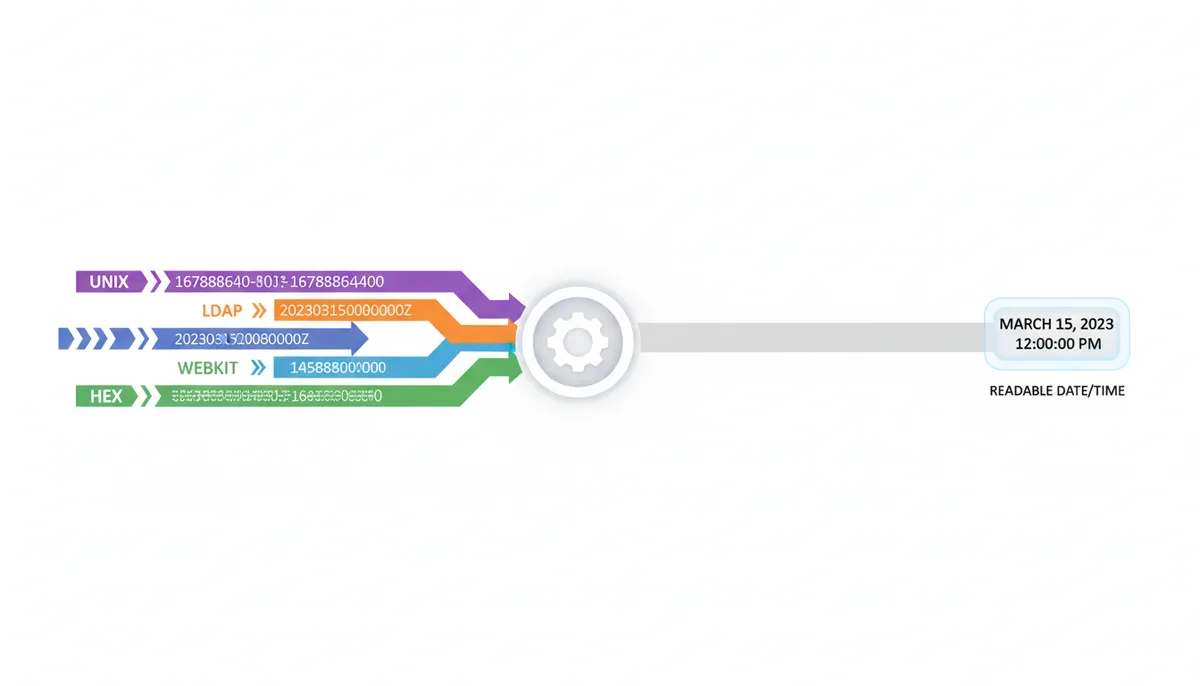
You've got a long string of numbers, maybe some letters mixed in, and it's supposed to be a date. You pop it into a standard online Unix timestamp converter, and instead of today or last Tuesday, you get something like "January 1, 1970," "December 31, 2999," or just a plain old error message. It's frustrating, and you're not alone.
The problem isn't usually with the number itself, or even the converter. The issue is that not all timestamps follow the same rules. Just like different countries have different electrical outlets, different software systems have their own ways of counting time. The Unix standard, which starts counting seconds from January 1, 1970, is incredibly common, but it's not the only game in town.
Plenty of critical systems use entirely different starting points (epochs) or count time in different units. Microsoft Windows, for instance, has its own dating system that goes way back to 1601. Web browsers like Chrome and Safari also keep time differently for certain internal functions. And then there are hexadecimal timestamps, which aren't a different time standard at all, but a different way of writing the numbers, often for compactness or integration with other data.
Trying to convert a Windows timestamp with a Unix tool is like trying to plug a European appliance into an American socket—it just doesn't fit. This guide will help you diagnose exactly what kind of timestamp you're holding, why it's different, and most importantly, how to use the right tool to convert it into a human-readable date you can actually understand.
How Can I Identify My Timestamp's Format?
The quickest way to figure out what kind of timestamp you have is to look at its observable characteristics: how many digits it has, whether it contains letters, and what kind of date it produces if you try a standard conversion. Think of it as a diagnostic checklist to pinpoint the right tool.
- Does it contain letters A-F? If your timestamp includes letters from A to F (e.g.,
61A57F6Cor65B4C2524C417A549EEA3600), it's almost certainly a hexadecimal timestamp. This means it's a number written in base-16, not base-10, and it will need a specific hex conversion tool. - How many digits does it have? This is your strongest clue if it's purely numerical:
- 10 digits: This is the classic Unix timestamp, counting seconds since January 1, 1970. Example:
1678886400(March 15, 2023, 12:00:00 PM UTC). - 13 digits: This is very likely a Unix timestamp in milliseconds. Example:
1678886400000(same date, but with millisecond precision). - 16 digits: Often a Unix timestamp in microseconds, or sometimes a Hex timestamp if it includes letters.
- 17 digits: This is a strong indicator of a WebKit timestamp, used by browsers like Chrome and Safari. Example:
13350176400000000. - 18 digits: This almost always points to an LDAP or Windows Filetime timestamp. These are massive numbers because they count 100-nanosecond intervals from a very early epoch. Example:
133501764000000000. - 19 digits: Usually a Unix timestamp in nanoseconds.
- 10 digits: This is the classic Unix timestamp, counting seconds since January 1, 1970. Example:
- What rough date does it produce if you treat it as standard Unix (seconds)?
- If a 17 or 18-digit number gives you a date in the far future (e.g., year 3000, year 30,000, or even later), you've likely got an LDAP or WebKit timestamp that's being misinterpreted as a Unix timestamp with incorrect precision. The numbers are simply too large for a standard Unix timestamp.
- If a 13-digit number gives you a date in the year 50,000, you're treating milliseconds as seconds.
- If a 10-digit number gives you a date in 1970, you might be looking at a millisecond timestamp, but only providing the first 10 digits.
Here’s a simple decision process you can follow:
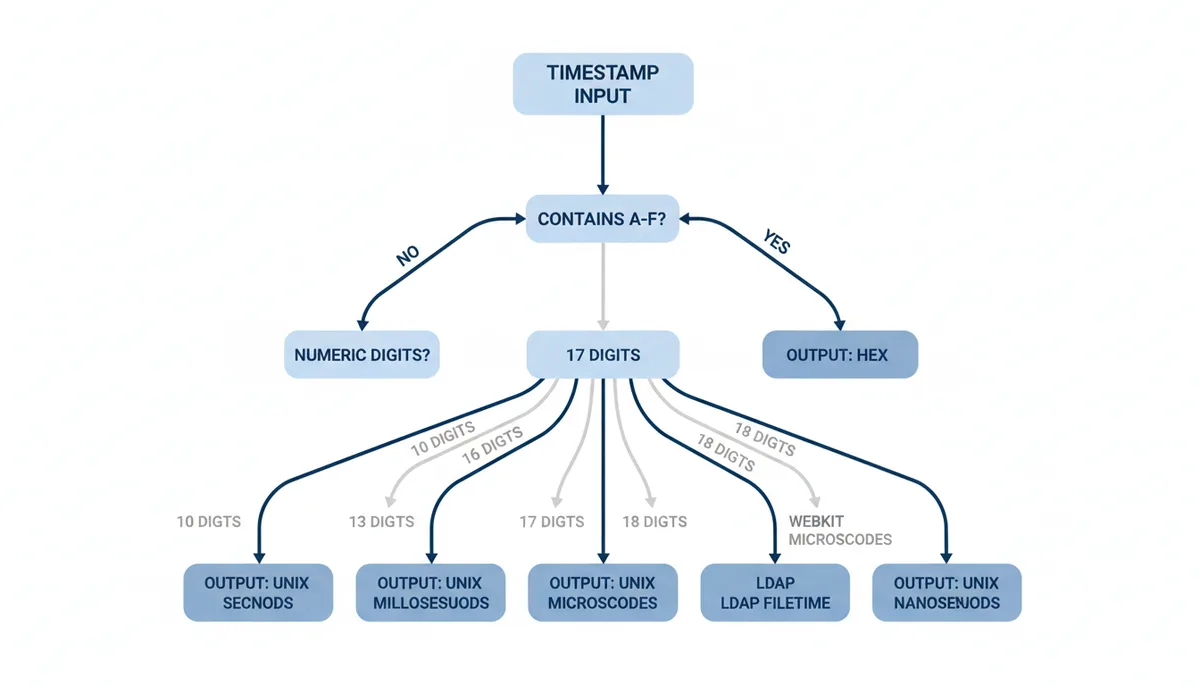
Start with your unknown number. If it has letters, go straight to Hex. If not, count the digits. If it's 10, 13, 16, or 19 digits and looks like a date around now when you try it on a standard Unix converter, you're probably dealing with Unix time (in seconds, milliseconds, microseconds, or nanoseconds, respectively). If it's 17 or 18 digits and blows up a standard converter, you're almost certainly looking at WebKit or LDAP/Filetime. UnixConverter.com offers specific tools for each of these.
What Is a Standard Unix Timestamp?
When most people talk about "timestamp," they're usually referring to a Unix timestamp, also known as Epoch time. This is a widely adopted method of representing a point in time as a single, plain integer. It represents the number of seconds that have elapsed since the "Unix epoch", which is defined as 00:00:00 Coordinated Universal Time (UTC) on Thursday, 1 January 1970.
While seconds are the most common unit, you'll also frequently encounter Unix timestamps expressed in milliseconds (13 digits), microseconds (16 digits), or nanoseconds (19 digits) to provide higher precision. The underlying principle remains the same: it's a count of elapsed time from that specific start date.
You'll find Unix timestamps everywhere: on Linux and macOS operating systems, in most web APIs for exchanging data, in databases like MySQL and PostgreSQL, and as the default time representation in many programming languages such as Python, JavaScript, and PHP. Their simplicity makes them excellent for storing and comparing dates programmatically, without worrying about time zones or complex date formats like ISO 8601 until you need to display them to a user.
One historical quirk worth noting is the "Year 2038 problem." Many older systems store Unix timestamps as a signed 32-bit integer. This means the largest value it can hold is 2,147,483,647. When this number of seconds passes from the epoch, the date will be 03:14:07 UTC on 19 January 2038. After this point, the timestamp will "roll over" and become a negative number, potentially causing system crashes or incorrect date interpretations. Modern 64-bit systems, however, store Unix timestamps in 64-bit integers, pushing the rollover date far into the distant future (hundreds of billions of years), effectively solving this problem for current and foreseeable uses.
What Is an LDAP (or Windows Filetime) Timestamp?
If you're working with Microsoft systems, especially Active Directory, you've probably encountered LDAP timestamps, sometimes called Windows Filetime timestamps. These timestamps look quite different from their Unix counterparts because they follow a completely different set of rules.
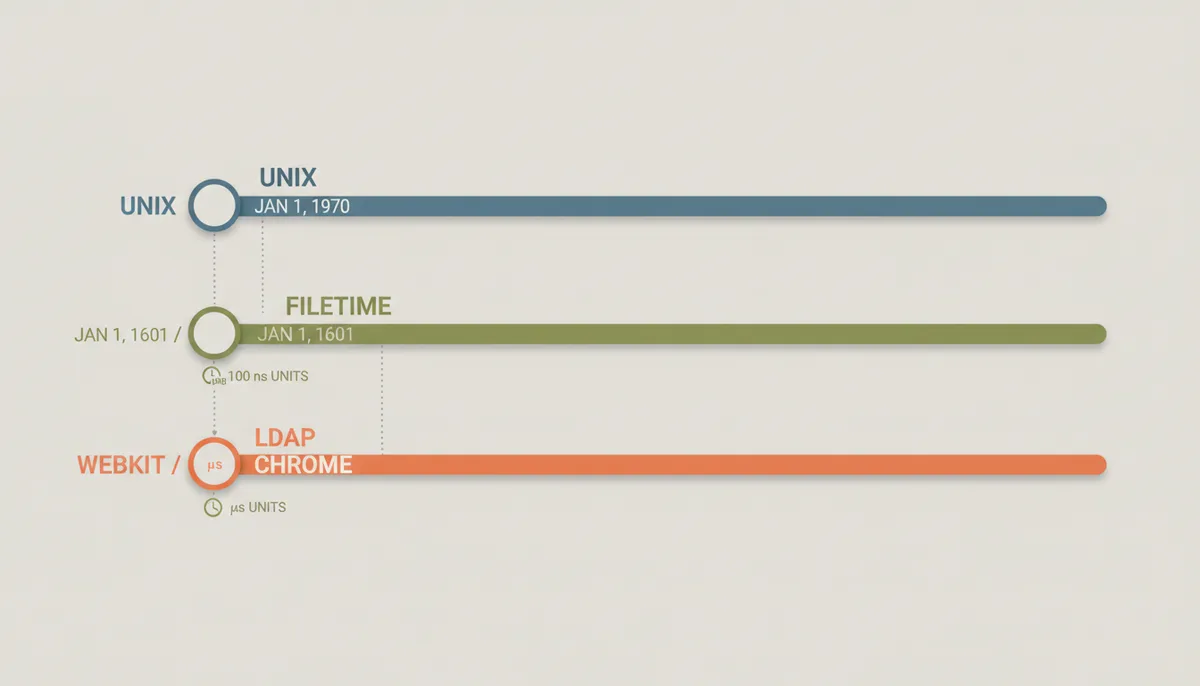
An LDAP timestamp represents the number of 100-nanosecond intervals that have elapsed since 00:00:00 UTC on 1 January 1601. Notice two critical differences here: the epoch (start date) is much, much earlier than Unix time, and the unit of time is incredibly precise—100 nanoseconds, or one ten-millionth of a second. This combination results in extremely large numbers, typically 18 digits long.
These timestamps are a core part of the Windows NT operating system and its derivatives. You'll find them in Active Directory attributes such as pwdLastSet (the last time a user's password was changed), lastLogon, and accountExpires. The NTFS file system also uses this Filetime format to record file creation, modification, and access times. Because of their origin, they are often referred to as "Filetime" when discussing the underlying structure within Windows, and "LDAP timestamp" when encountered in the context of directory services.
The reason for the massive number of digits is simple arithmetic. There are 10,000,000 (ten million) 100-nanosecond intervals in a single second. Since the epoch is 369 years earlier than the Unix epoch (1970 vs. 1601), and the precision is so much finer, the total count quickly becomes enormous. An LDAP timestamp for a date around "today" will easily be in the quadrillions. Trying to convert such a large number directly as Unix seconds or milliseconds will yield an incomprehensibly distant future date or an overflow error.
What Is a WebKit (or Chrome) Timestamp?
Another specialized timestamp you might encounter, especially if you're analyzing browser data or performing digital forensics, is the WebKit timestamp. This format is closely related to the Windows Filetime but differs slightly in its unit of precision.
A WebKit timestamp represents the number of microseconds that have elapsed since 00:00:00 UTC on 1 January 1601. Yes, that's the same epoch as LDAP/Filetime—1601. However, instead of 100-nanosecond intervals, WebKit timestamps count in microseconds (one millionth of a second). This means there are 1,000,000 microseconds in a second, compared to 10,000,000 100-nanosecond intervals. Because of this, WebKit timestamps are typically 17 digits long, one digit shorter than the 18-digit LDAP timestamps for the same date.
As the name suggests, these timestamps originate from the WebKit browser engine, which powers Safari, and its forks, most notably Blink, which is used in Google Chrome and other Chromium-based browsers like Opera and Edge. You'll find these timestamps embedded in various browser data files. For example, they're used to record visit times in your browsing history databases, the creation and expiration times of cookies, and the timestamps associated with bookmarks. If you're ever digging through a browser's SQLite database files, this is the format you'll likely see.
For data analysts, developers, or anyone performing incident response or digital investigations, understanding WebKit timestamps is crucial. Misinterpreting these numbers can lead to wildly incorrect conclusions about when specific browser events occurred. The UnixConverter tool provides a dedicated converter to handle these specialized timestamps, accurately translating them from their 1601 epoch and microsecond units into a human-readable date.
What Is a Hexadecimal Timestamp?
When you see a timestamp that includes letters A through F alongside digits 0-9 (e.g., 65B4C252 or 61A57F6C), you're looking at a hexadecimal timestamp. It's important to understand that "hexadecimal timestamp" isn't a different time standard in the same way Unix or LDAP are. Instead, it's a different encoding for a number that represents a timestamp.
Hexadecimal (or base-16) is a number system that uses 16 unique symbols: 0-9 and A-F. It's very common in computing because it provides a compact and human-readable way to represent binary data (which computers use internally). So, a "hex timestamp" is usually a standard Unix timestamp (or sometimes another format) that has been converted from its normal base-10 decimal representation into a base-16 hexadecimal string.
For example, a standard 32-bit Unix timestamp (like 1678886400 for March 15, 2023) when converted to hexadecimal would be 641065C0. Notice how it's shorter and contains letters. A 64-bit Unix timestamp would be much longer in hex, typically 16 characters (e.g., 00000000641065C0 if the higher bits are zero). Similarly, LDAP or WebKit timestamps can also be represented in hexadecimal, though this is less common.
You'll often encounter hex timestamps in specific technical contexts:
- Embedded Systems: Where memory or display space is limited, hex can be more compact than decimal.
- Network Protocols: Timestamps within data packets might be transmitted in hex.
- Database Object IDs: Some databases, like MongoDB, generate unique object IDs that incorporate a Unix timestamp as the first few bytes, represented as a hex string (e.g.,
65B4C2524C417A549EEA3600). In this case, only the initial portion is the timestamp. - Memory Dumps or Logs: When inspecting raw binary data, timestamps are often presented in hex.
One potential conversion challenge with hexadecimal timestamps is byte order, also known as endianness. A hexadecimal string like 61A57F6C could represent the numerical value 61A57F6C directly (big-endian), or it could represent the value by reversing the byte order (little-endian), resulting in 6C7FA561. If the source system uses a different endianness than your converter assumes, you'll get a completely wrong date. For example, Intel-based systems typically use little-endian. If you try to convert a hex string and get an improbable date, try reversing the byte order before converting again. The UnixConverter Hex Timestamp tool allows you to specify endianness.
How Do I Choose the Right Conversion Method?
Now that you understand the different types of timestamps, choosing the right conversion method becomes straightforward. It's all about matching your timestamp's characteristics to the tool designed to understand its specific epoch and unit of time.
The most important rule of thumb is: if a standard Unix converter gives you an odd result (a date in 1970, or far in the future), you are almost certainly dealing with a non-Unix timestamp or an incorrect precision. Don't try to force it; switch to a specialized tool.
Here's a synthesized guide to help you make that choice, directly linking to the relevant tools on UnixConverter.com:
| Timestamp Format | Origin / Common Use | Epoch (Start Date) | Unit | Typical Appearance | Recommended UnixConverter Tool |
|---|---|---|---|---|---|
| Standard Unix (Decimal) | Linux/macOS, Web APIs, most programming languages | 1 Jan 1970 00:00:00 UTC | Seconds (10 digits) Milliseconds (13 digits) Microseconds (16 digits) Nanoseconds (19 digits) |
1678886400 (seconds)1678886400000 (milliseconds) |
Unix Timestamp Converter (Homepage) |
| LDAP (Decimal) | Microsoft Windows, Active Directory, NTFS Filetime | 1 Jan 1601 00:00:00 UTC | 100-nanosecond intervals | 133501764000000000 (18 digits) |
LDAP Converter |
| WebKit (Decimal) | Google Chrome, Safari, other WebKit/Blink browsers | 1 Jan 1601 00:00:00 UTC | Microseconds | 13350176400000000 (17 digits) |
WebKit Converter |
| Hexadecimal (any format) | Embedded systems, network protocols, MongoDB ObjectIDs | Varies (usually Unix epoch) | Varies (usually seconds) | 641065C0 (Unix seconds in hex)65B4C2524C417A549EEA3600 (MongoDB ObjectId; only the first 8 hex characters, 65B4C252, are the embedded Unix timestamp) |
Hex Timestamp Converter |
Always double-check the converted result for plausibility. If you convert a timestamp that you know came from a few days ago, and the tool returns a date in the year 30,000, that's a clear signal you've used the wrong converter or misinterpreted the precision (e.g., treating milliseconds as seconds). The numbers are almost always in UTC, so if the local time doesn't seem right, remember to account for your time zone difference as a separate step.
What Are the Most Common Conversion Pitfalls?
Even with the right converter, a few common traps can lead to incorrect results. Knowing these can save you a lot of head-scratching.
Time Zones Are a Separate Step
Almost all raw timestamps—Unix, LDAP, WebKit, and their hexadecimal representations—are stored in Coordinated Universal Time (UTC). They represent a universal point in time, independent of any specific geographical location. When you convert a raw timestamp, the result you get is also in UTC. If you need to see that time in your local time zone (e.g., Eastern Standard Time or Pacific Daylight Time), you'll need to perform an additional conversion step. Many online converters, including the UnixConverter Time Zone tool, can help you adjust the UTC date and time to your desired local time zone. Don't assume the output of a raw timestamp conversion is already in your local time; it rarely is.
Precision Errors: Seconds vs. Milliseconds (and beyond)
This is perhaps the most frequent mistake when dealing with Unix timestamps. Unix timestamps can be in seconds (10 digits), milliseconds (13 digits), microseconds (16 digits), or even nanoseconds (19 digits). If you use a timestamp that has millisecond precision (e.g., 1678886400000) in a converter expecting seconds, the converter will treat those extra three zeros as part of the "seconds" count. This effectively multiplies your timestamp by 1,000, pushing the date thousands of years into the future. You'll get something like "March 15, 52023, 12:00:00 PM UTC."
Conversely, if you truncate a millisecond timestamp to just 10 digits and use it in a seconds converter (e.g., using 1678886400 when the original was 1678886400000), you'll get a date that's correct but wildly out of proportion to the original precision, essentially missing the finer detail. Always confirm the precision of your source timestamp and ensure your converter is set to match it. UnixConverter handles these different precision levels on its main converter.
Byte Order (Endianness) for Hex Timestamps
When converting hexadecimal timestamps, especially if you're pulling them directly from binary data or system memory, you might encounter issues with byte order, or "endianness." This refers to how multi-byte values (like a 32-bit or 64-bit timestamp) are stored in computer memory. There are two main types:
- Big-endian: The most significant byte (the "biggest" part of the number) is stored first (at the lowest memory address). This is how we typically write numbers.
- Little-endian: The least significant byte (the "smallest" part of the number) is stored first. Many common architectures, like those from Intel, use little-endian.
Consider a 32-bit hex Unix timestamp like 61A57F6C. If this came from a big-endian system, the value is simply 61A57F6C. If it came from a little-endian system, the bytes are effectively reversed when read by a big-endian converter: 6C 7F A5 61. This reversal creates a completely different numerical value, leading to an entirely incorrect date. If your converted hex timestamp produces a nonsensical date, try reversing the byte order (e.g., 6C7FA561 instead of 61A57F6C) in the Hex Timestamp Converter and trying again. You may need to experiment if your source's endianness isn't documented.
When a Timestamp Isn't Just a Number: Parsing Complex Log Entries and APIs
Sometimes, what looks like a single timestamp isn't just a clean, isolated number. It might be embedded within a longer string, part of a log file entry, or combined with other data in an API response. In these scenarios, the challenge isn't just knowing which converter to use, but first extracting the actual timestamp value from its surrounding text. This is a common hurdle when you're dealing with raw system logs, custom data formats, or less-than-perfectly documented APIs.
Consider a typical log entry you might find from a server or application. It rarely just says "1678886400". Instead, it might look something like this:
[2023-03-15T12:00:00Z] [INFO] User 123 logged in from 192.168.1.100. Event ID: 641065C0. Session: abcdef12345.
In this example, you see a human-readable ISO 8601 timestamp at the beginning. But what if the system primarily uses the "Event ID" for its internal timing? Here, 641065C0 is a hexadecimal timestamp. Before you can even feed it to the UnixConverter Hex Timestamp tool, you need to parse it out. This often involves using text manipulation tools or simple scripting.
Another common scenario involves API responses where the timestamp is part of a larger data structure. Imagine a JSON response like this:
{
  "user_id": "U001",
  "action": "purchase",
  "timestamp_epoch_ms": 1678886400000,
  "transaction_id": "TX98765"
}
Here, the timestamp is clearly labeled as timestamp_epoch_ms. You can easily extract 1678886400000 and use the main Unix Timestamp Converter, specifying milliseconds. But what if it's less obvious?
Sometimes, systems encode multiple pieces of information into a single identifier. A classic example is MongoDB's ObjectId. These are 12-byte (24-character hexadecimal) identifiers, but the first 4 bytes actually represent a Unix timestamp in seconds. An ObjectId like 65B4C2524C417A549EEA3600 contains the timestamp 65B4C252 at its beginning. To convert this, you would:
- Identify that it's a MongoDB ObjectId (often by context).
- Extract the first 8 hexadecimal characters:
65B4C252. - Use the Hex Timestamp Converter on UnixConverter.com to convert this extracted portion. (
65B4C252converts to 2024-01-26 14:38:42 UTC).
The key takeaway is that an "identify and convert" process sometimes needs a "find and extract" step first. For simple cases, you might manually copy-paste the relevant digits. For recurring tasks, or when dealing with large datasets, you'll want to use more automated methods:
- Regular Expressions (Regex): This is a powerful tool for pattern matching and extraction from text. For example, to pull a 10-digit Unix timestamp from a line, you might use a regex like
\b(\d{10})\b. For a hex timestamp,\b([0-9a-fA-F]{8})\b. - Scripting Languages: Python, JavaScript, PowerShell, and Bash all have excellent capabilities for reading files, parsing strings, and extracting specific values. You can write a small script to iterate through log lines, apply regex to pull out timestamps, and then, if needed, use a programmatic timestamp conversion library before displaying or saving the result.
- Spreadsheet Functions: If your data is in Excel or Google Sheets, functions like
MID(),LEFT(),RIGHT(), andFIND()can help you isolate the timestamp string before you apply a numerical conversion formula.
The biggest pitfall here is extracting the wrong part of a string, or misinterpreting the boundaries of the timestamp. Always cross-reference with documentation if available, or test with a known good value. If a log entry's timestamp field is documented as "Unix epoch in hex, 8 characters long," you know exactly what to look for. Without such clarity, you might need to make an educated guess based on the digit count and the presence of letters, as covered earlier, and then test the conversion for plausibility.
This preliminary parsing step is crucial because even the best timestamp converter can't help if it's fed an entire log line instead of just the timestamp itself. It's the bridge between raw data and usable dates.
FAQ Section
What if my timestamp has a different number of digits than you described?
A different digit count often indicates a different level of precision. For example, a 16-digit Unix timestamp is typically in microseconds (millionths of a second), while a 19-digit one is usually in nanoseconds (billionths of a second). The common 10-digit Unix timestamp counts seconds, and 13-digit ones count milliseconds. Some systems might also combine a timestamp with other data (like a sequence number or machine ID) within the same numerical string, making it appear longer. In such cases, you'll need to consult the specific format's documentation to understand which portion of the number represents the actual timestamp.
My LDAP timestamp conversion gives the wrong date. What's the most common reason?
The most common error for LDAP timestamps is trying to convert them using a standard Unix timestamp converter. Because LDAP timestamps use an epoch of January 1, 1601, and count in 100-nanosecond intervals (making them extremely large 18-digit numbers), a Unix converter will interpret these as an astronomically large number of seconds from 1970, resulting in a date thousands of years in the future. You must use a dedicated LDAP/Filetime converter, like the one available on UnixConverter.com, to correctly interpret the 1601 epoch and 100-nanosecond unit.
Can I convert these timestamps in a spreadsheet like Excel or Google Sheets?
Yes, you can, but it requires specific formulas that account for the different epochs and units. For a standard Unix timestamp in seconds (in cell A1), an Excel formula is =(A1/86400)+25569, where 25569 is the number of days between Excel's epoch (January 1, 1900) and the Unix epoch (January 1, 1970). For LDAP or WebKit timestamps, the formula is more complex due to their 1601 epoch and different units. For LDAP (100-nanosecond intervals), you'd use something like =(A1/10000000/86400) - 109205, where 109205 is the number of days between 1601 and 1900. These formulas are precise and require care to avoid off-by-one errors or incorrect division factors.
Why were the 1601 and 1970 epochs chosen?
The 1970 epoch for Unix time was a practical and convenient starting point. When Unix was being developed at Bell Labs, choosing a relatively recent date made the numbers smaller and easier to handle for the 32-bit systems of the time. It was essentially an arbitrary but sensible choice for the system's internal needs. The 1601 epoch for Windows NT's Filetime (and subsequently WebKit) was chosen for a more specific reason: it marks the beginning of a 400-year cycle in the Gregorian calendar. This alignment simplifies the complex calculations required for accurate leap year handling over very long periods, which was important for a robust operating system designed to manage file systems and time-sensitive operations across centuries.
Is there a 'Year 2038' problem for LDAP or WebKit timestamps?
No, there isn't. Both LDAP/Filetime and WebKit timestamps are normally stored as 64-bit integers. This provides a significantly larger range than 32-bit Unix timestamps. For example, a 64-bit Windows FILETIME (100-nanosecond intervals from 1601) will not overflow until approximately the year 30828. Similarly, 64-bit WebKit timestamps (microseconds from 1601) also extend far beyond any foreseeable computing needs. This means they are not susceptible to the same kind of overflow issue that affects 32-bit Unix timestamps, making the Year 2038 problem unique to that specific 32-bit implementation of Unix time.
How do leap seconds affect timestamp conversions?
Leap seconds are an occasional, one-second adjustment added to Coordinated Universal Time (UTC) to keep it closely aligned with astronomical time (the Earth's rotation). Officially, Unix time does not account for leap seconds; it is a continuous, monotonic count of seconds since the epoch. This means that a Unix timestamp value itself doesn't explicitly mark a leap second. As a result, Unix time can gradually diverge from UTC by small amounts (at most one second per leap second event). Most systems and conversion tools handle this discrepancy transparently, meaning they don't explicitly adjust the Unix timestamp for leap seconds. For most practical purposes, this difference is negligible. However, in high-precision scientific, navigation, or financial applications where microsecond accuracy and precise synchronization with UTC are critical, the handling of leap seconds can become a complex factor that requires specialized consideration beyond a standard timestamp converter.
Sources
- Microsoft Learn — The definition of the Windows FILETIME structure as a 64-bit value representing 100-nanosecond intervals since January 1, 1601 (UTC).
- The Chromium Projects — The use of a 1601-based epoch (in microseconds) for internal timekeeping within the WebKit/Blink engine, which is the source of WebKit timestamps.
- The Open Group (POSIX Standard) — The official definition of 'Seconds Since the Epoch' (Unix time) as the number of seconds elapsed since 00:00:00 UTC, January 1, 1970.
- IETF RFC 3339 (Date and Time on the Internet) — Provides context for standardized time representation on the internet, often used alongside Unix timestamps, and discusses concepts like UTC and leap seconds.
- MongoDB Manual — The structure of an ObjectId, which embeds a 4-byte (8-character hex) Unix timestamp as its first component, serving as a real-world example of a hex-encoded timestamp.