
UnixConverter vs EpochConverter: Which Timestamp Tool Should You Use?
A head-to-head comparison for developers and analysts showing features, batch tools, and time zone handling to help you choose between UnixConverter and EpochCo
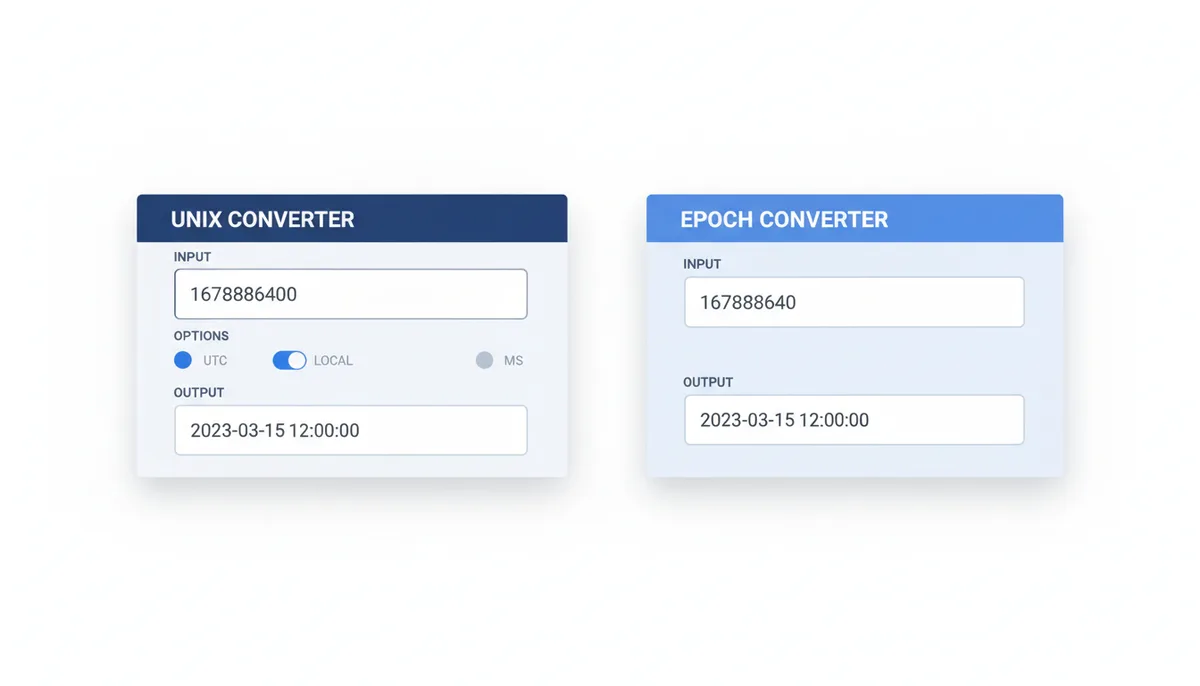
Choosing Your Go-To Timestamp Tool: A Head-to-Head Test
You’re debugging a log file and the timestamps are in Unix epoch format. Or you’re parsing an API response and the dates are milliseconds since 1970. You need to convert these numbers into something humans can read—or vice versa. Two tools dominate this space: UnixConverter.com and EpochConverter.com. Both are free, both are online, and both do the job. But which one should you bookmark?
This article puts them head-to-head. We’ll test their core features, compare their batch processing capabilities, and evaluate how they handle time zones. By the end, you’ll know exactly which tool fits your workflow—whether you’re a developer, a data analyst, or someone who needs to check a timestamp quickly.
What is UnixConverter? A Deep Dive into its Features
UnixConverter is a modern, feature-rich toolkit designed for power users. It’s not just a simple timestamp converter—it’s a suite of utilities for handling Unix time, time zones, and specialized formats like LDAP and WebKit timestamps. Here’s what sets it apart:
- Precision support: Handles seconds, milliseconds, microseconds, and nanoseconds.
- Batch conversion: Lets you paste lists or upload CSV files for bulk processing.
- Specialized tools: Includes converters for LDAP, WebKit, and hex timestamps.
- Time zone management: Uses the IANA Time Zone Database for accurate conversions.
Who is this for? Developers handling large datasets, sysadmins parsing logs, or anyone working with non-standard timestamp formats. If you need more than just a quick lookup, UnixConverter is the tool to bookmark.
What is EpochConverter? The Classic, Streamlined Choice
EpochConverter is the no-frills, reliable option for basic timestamp conversions. It’s been around for years, and its simplicity is its strength. Here’s what it does well:
- Fast, single conversions: Quickly converts between Unix time and human-readable dates.
- Clean interface: No ads, no clutter, just a straightforward input-output tool.
- Mobile-friendly: Works well on small screens for quick checks.
Who is this for? Users who need a fast, one-off conversion and don’t want to deal with extra features. If you’re just checking a single timestamp, EpochConverter is often the quicker choice.
Feature Showdown: A Side-by-Side Comparison
To compare the two tools objectively, we’ll look at their core features, implementation, and usability. Here’s how they stack up:
| Feature | UnixConverter | EpochConverter |
|---|---|---|
| Timestamp Precision (s, ms, µs, ns) | Yes (all units) | Yes (seconds, milliseconds) |
| Batch Conversion | Yes (paste or CSV upload) | No (manual or script required) |
| Time Zone Conversion | Yes (IANA time zones, offsets) | Yes (basic time zones) |
| API Access | No | No |
| Specialized Converters (LDAP, etc.) | Yes (LDAP, WebKit, Hex) | No |
| UI/Ad Clutter | Moderate (some ads, tool-dense) | Minimal (clean, ad-free) |
Handling Bulk Data: Which Tool Excels at Batch Conversion?
If you’re working with log files, API responses, or any dataset with multiple timestamps, batch conversion is a game-changer. Here’s how the two tools compare:
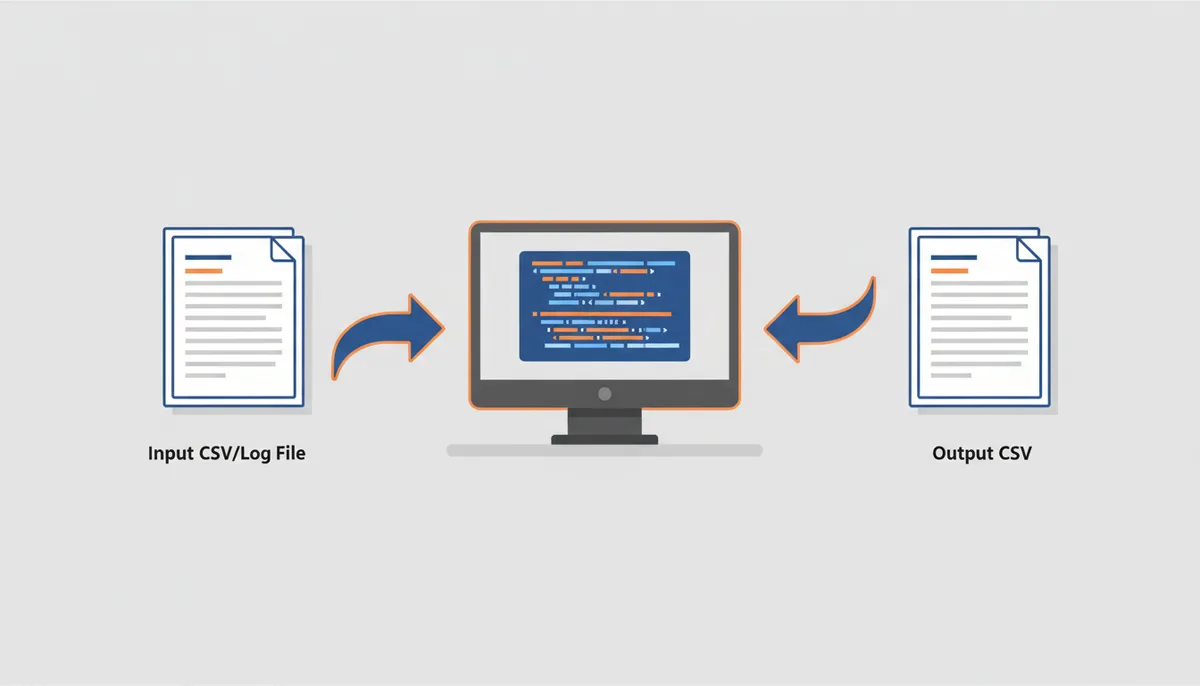
- UnixConverter lets you paste a list of timestamps or upload a CSV file. It processes them all at once and gives you a downloadable results file. This is ideal for data analysts and developers working with large datasets.
- EpochConverter doesn’t have a built-in batch tool. You’d need to write a script (e.g., in Python or JavaScript) to loop through your data and call the tool’s endpoint for each conversion. This is more work but gives you full control.
For most users, UnixConverter’s batch converter is the faster, easier option. But if you need custom processing, EpochConverter’s lack of a UI-based batch tool might not be a dealbreaker.
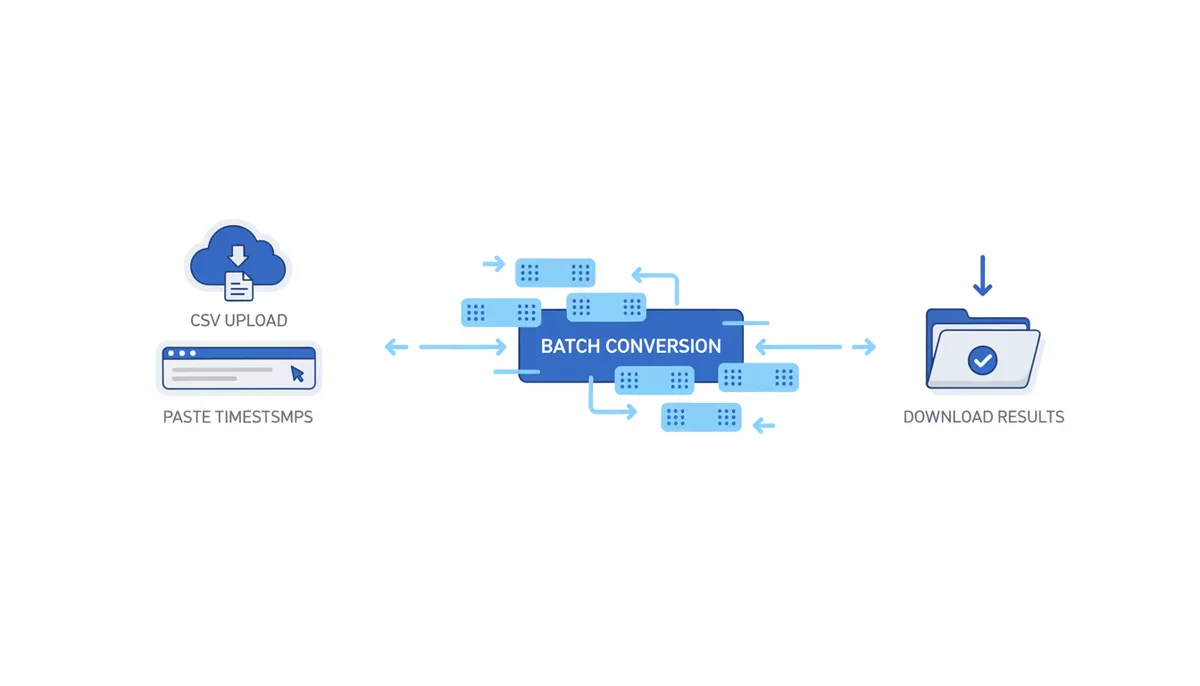
Time Zone Conversion: Who Manages Global Time Best?
Time zones are tricky. A timestamp in UTC might mean something entirely different in New York or Tokyo. Both tools handle time zone conversions, but their approaches differ:
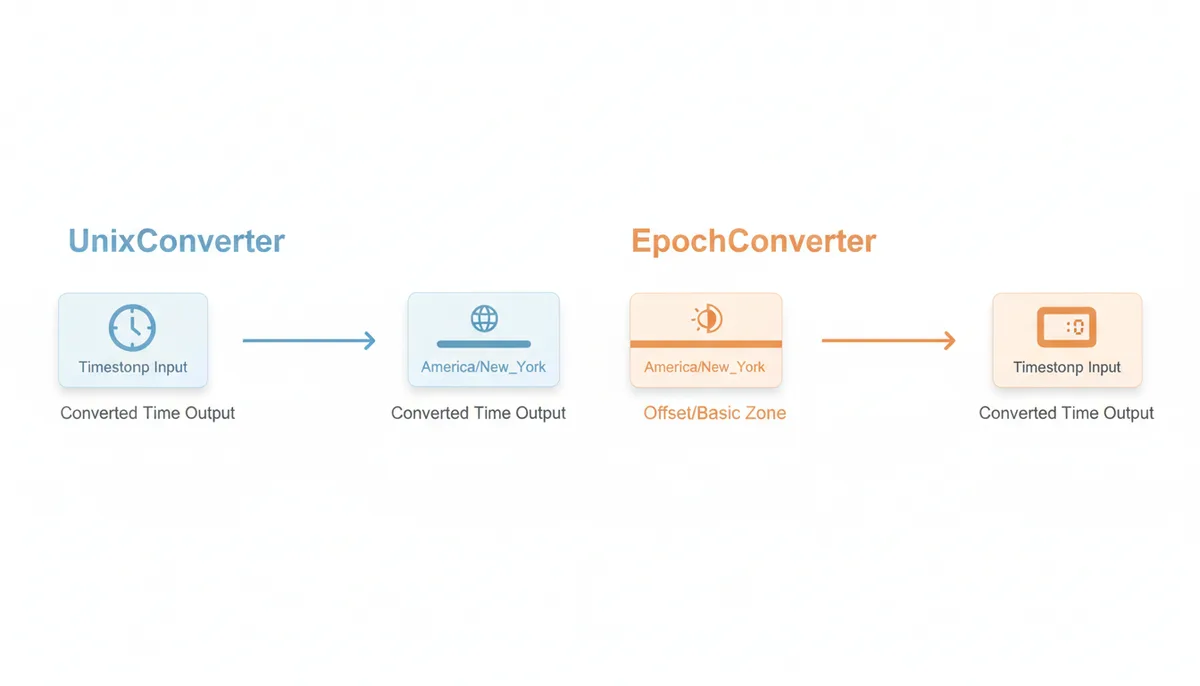
- UnixConverter uses the IANA Time Zone Database, so you can select time zones by name (e.g., "America/New_York") or by offset. It also accounts for Daylight Saving Time (DST) automatically.
- EpochConverter offers basic time zone selection, but the interface is less intuitive. You’ll need to know the exact offset or manually select from a dropdown.
For developers and analysts working with global data, UnixConverter’s time zone handling is more robust. But for a quick, one-off conversion, EpochConverter’s simplicity might be enough.
User Experience and Interface Design
User experience matters, especially when you’re doing repetitive tasks. Here’s how the two tools compare:
- UnixConverter has a tool-dense interface with multiple options on the page. This can be overwhelming for new users but powerful for those who know what they need.
- EpochConverter is minimalist—just an input field, a dropdown for time units, and a result. It’s faster for quick conversions but lacks advanced features.
On mobile, EpochConverter’s simplicity wins. UnixConverter is also responsive, but its denser layout can be harder to navigate on a small screen.
The Verdict: Which Timestamp Converter Should You Bookmark?
So, which tool should you use? It depends on your needs. Here’s our recommendation:
| Use Case | Recommended Tool | Reason |
|---|---|---|
| Processing a log file (CSV) | UnixConverter | Batch conversion support and CSV upload make it the clear winner. |
| Quickly checking a single timestamp | EpochConverter | Faster, simpler interface for one-off conversions. |
| Integrating into a script | Neither (use native code) | Neither tool has a public API, so scripting in Python or JavaScript is better. |
| Converting between time zones | UnixConverter | More accurate time zone handling with IANA support. |
How Unix Time Really Works (And Why It Matters)
Unix time isn’t just a number—it’s a specific way of counting seconds since January 1, 1970, at 00:00:00 UTC. But why 1970? Why not 1900 or 2000? The answer is practical: 1970 was when the first Unix systems were being developed, and they needed a consistent way to track time across machines.
The key thing to understand is that Unix time is a continuous count, ignoring leap seconds. POSIX defines seconds since the epoch and the convention of not counting leap seconds.
This means that while atomic clocks and astronomical time account for Earth’s irregular rotation, computer systems don’t. Both tools follow this standard, which is why you won’t see leap seconds reflected in their outputs.
Where this gets tricky is with the Y2038 problem. On January 19, 2038, at 03:14:07 UTC, a 32-bit signed integer representing Unix time will overflow. Systems using 32-bit timestamps will wrap around to December 13, 1901. Both tools handle this by using 64-bit integers, but if you’re working with legacy systems, this is a real risk. For now, neither tool has a workaround—it’s something to keep in mind for long-term data storage.
Another quirk is time zones. Unix time is always in UTC, but when you convert it to a human-readable format, you need to account for local time. Both tools handle this, but the way they present time zones differs. UnixConverter uses IANA time zone names (like “America/New_York”), while EpochConverter relies on offsets. If you’re working with global data, the IANA approach is more reliable because it automatically accounts for Daylight Saving Time changes.
Finally, precision matters. Unix time can be represented in seconds, milliseconds, microseconds, or even nanoseconds. Most systems use seconds or milliseconds, but if you’re working with high-frequency trading, scientific data, or other time-sensitive applications, those extra decimal places can be critical. UnixConverter supports all of these, while EpochConverter stops at milliseconds. If you need microsecond or nanosecond precision, UnixConverter is the only choice.
When Timestamp Conversions Go Wrong (And How to Fix Them)
Timestamp conversions seem simple, but in practice they’re riddled with edge cases. Here are the most common mistakes and how to avoid them:
- Off-by-one errors: A single misplaced second can throw off an entire dataset. For example, if you’re parsing a log file and the timestamps are in milliseconds but you treat them as seconds, you’ll get dates that are 1,000 times too old. Always check the units before converting.
- Time zone confusion: A timestamp in UTC is not the same as a timestamp in your local time zone. If you’re working with data from different regions, make sure you’re converting to the correct time zone. UnixConverter’s IANA time zone support helps here, but you still need to be explicit about which zone you’re using.
- Leap second ignorance: As mentioned earlier, Unix time ignores leap seconds. If you’re working with astronomical data or need sub-second precision, this can cause issues. Neither tool accounts for leap seconds, so if this is critical, you’ll need to handle it separately.
- Epoch ambiguity: Not all systems use the same epoch. Some use 1904 (Mac OS), others use 1601 (Windows FILETIME). If you’re converting between systems, you need to know the source epoch. Both tools assume the Unix epoch (1970), so if your data comes from a different system, you’ll need to adjust it first.
- Negative timestamps: Unix time before 1970 is represented as a negative number. Both tools handle this, but some older systems can’t. If you’re working with historical data, test your conversions to ensure they’re being interpreted correctly.
To avoid these issues, always validate your inputs and outputs. If you’re working with a large dataset, run a small sample first to catch any formatting or unit mismatches. And if you’re unsure about the source of your timestamps, ask. A few minutes of verification can save hours of debugging later.
UnixConverter vs. EpochConverter: Performance Under Load
When converting large datasets, the approach differs significantly between these tools. UnixConverter offers a dedicated batch converter that accepts pasted lists or CSV uploads, processing them in a single operation. This is ideal for most bulk conversion needs, though the exact capacity limit isn't documented. For very large datasets, you may need to split your data into smaller batches.
EpochConverter doesn't provide a web-based batch processing tool. For large datasets, you would need to implement a custom solution, such as writing a script to process timestamps individually. This approach requires more technical effort but offers complete control over the conversion process and can be more reliable for extremely large datasets.
The practical choice depends on your workflow: UnixConverter's batch tool is faster for most users, while a custom script may be better for specialized or very large-scale needs. Neither tool is optimized for processing datasets in the tens of thousands without some form of batching or scripting.
Command-Line Alternatives: When Web Tools Aren't Enough
For sensitive data or automated workflows, command-line tools offer more control and security. Here are tested commands for different platforms:
On Linux (using GNU date):
date -d @1672531200
On macOS (using BSD date):
date -r 1672531200
For Python (cross-platform):
from datetime import datetime
timestamp = 1672531200
print(datetime.utcfromtimestamp(timestamp).strftime('%Y-%m-%d %H:%M:%S'))
On Windows (PowerShell):
[DateTimeOffset]::FromUnixTimeSeconds(1672531200).LocalDateTime
These commands are reliable for basic conversions. For time zone handling, use Python's pytz or zoneinfo modules, or platform-specific tools like tzutil on Windows. Command-line tools require more setup but provide better security and automation capabilities for technical users.
Specialized Timestamp Formats: LDAP, WebKit, and More
Not all timestamps are created equal. Some systems use non-standard formats, and converting them requires specialized tools. Here’s how UnixConverter and EpochConverter handle these cases:
UnixConverter includes converters for LDAP, WebKit, and hex timestamps. LDAP timestamps are often seen in Active Directory logs and are represented as strings like “20230101000000.0Z”. WebKit timestamps are used in browser debugging and are often in microseconds. Hex timestamps are common in Windows systems and are represented as hexadecimal numbers.
EpochConverter doesn’t support these formats. If you’re working with LDAP or WebKit timestamps, you’d need to convert them to Unix time first before using EpochConverter. This is an extra step, but it’s manageable if you know the format. For example, to convert an LDAP timestamp to Unix time:
import datetime

ldap_timestamp = "20230101000000.0Z"
dt = datetime.datetime.strptime(ldap_timestamp, "%Y%m%d%H%M%S.%fZ")
unix_time = int(dt.timestamp())
For hex timestamps, you’d first convert the hex to a decimal number, then divide by 10000000 to get Unix time in seconds. This is more work, but it’s doable with a script. If you’re working with these formats regularly, UnixConverter’s built-in converters save time.
Another specialized format is ISO 8601, which is commonly used in APIs and web services. Both tools can convert to and from ISO 8601, but UnixConverter’s implementation is more robust. It handles microsecond precision and time zones more accurately. If you’re working with APIs, this is an important consideration.
For most users, these specialized formats aren’t a concern. But if you’re working with enterprise systems, web development, or debugging, they can be critical. UnixConverter is the better choice in these cases.
Security and Privacy: What Happens to Your Data?
When using online timestamp converters, data handling practices aren't always transparent. Neither UnixConverter nor EpochConverter provides clear documentation about data storage or logging policies. Both tools process conversions client-side, but without explicit privacy statements, users should assume some data may be handled server-side.
For sensitive information, the safest approach is to use local tools. Command-line utilities or custom scripts ensure your data never leaves your machine. If you must use a web tool, avoid processing confidential information and clear your browser cache afterward. Neither service is designed for high-security environments.
Both tools assume valid input formats. Malformed timestamps may produce errors or incorrect results. Always validate your data before conversion, checking for proper numeric formats and reasonable value ranges. This prevents errors from propagating through your workflow.
In summary, while these tools are convenient for general use, they're not suitable for handling sensitive data. For confidential information, local alternatives provide better security guarantees.
FAQ
Does EpochConverter have a batch conversion feature?
No, EpochConverter.com does not have a built-in web UI for converting multiple timestamps at once. For batch processing, UnixConverter.com is the superior choice as it supports pasting lists and uploading CSV files.
Is there an API for UnixConverter or EpochConverter?
Neither site appears to offer a public, documented API for conversions. Developers typically implement timestamp conversion natively in their programming language of choice rather than relying on an external web API.
How do these tools handle leap seconds?
Unix time officially does not include leap seconds. Both tools follow this standard, representing time as a continuous, linear count of seconds since the epoch, meaning they effectively 'smear' or ignore leap seconds as most computer systems do.
Which tool is better on a mobile device?
EpochConverter's simple, single-column layout is often faster and easier to use on a mobile browser for a quick conversion. UnixConverter is also mobile-responsive, but its denser interface can be more complex to navigate on a small screen.
Are there good command-line alternatives to these websites?
Yes, on Linux and macOS, the `date` command is a powerful alternative. For example, `date -d @1672531200` converts a timestamp to a human-readable date, and `date +%s` gives the current Unix timestamp.
Sources
- The Open Group — The official definition of 'Seconds Since the Epoch' (Unix time) as part of the POSIX standard, including its relationship to UTC and its exclusion of leap seconds.
- IANA (Internet Assigned Numbers Authority) — The official Time Zone Database (tzdb) used by most computer systems to correctly handle time zones and Daylight Saving Time rules, which is the standard these tools should adhere to.
- NIST (National Institute of Standards and Technology) — Authoritative information on Coordinated Universal Time (UTC) and the application of leap seconds, relevant to discussions of timestamp accuracy.
- ISO (International Organization for Standardization) — The definition of the ISO 8601 date and time format, which is the most common human-readable format that timestamps are converted into.
- MDN Web Docs — Documentation on how JavaScript, a primary language for web development, handles dates and timestamps (e.g., `Date.now()` returning milliseconds since the epoch).