
Why a UTC Offset Is Not the Same Thing as a Time Zone in Timestamp Conversion
For developers and ops: learn why UTC offsets differ from time zones and how to store and convert timestamps correctly for users and history.
Why Does My Timestamp Conversion Sometimes Fail?
A calendar widget shows a July meeting at 7:00 a.m. in New York. The meeting actually starts at 8:00. The conversion code looked fine: it took the Unix timestamp, subtracted five hours, and formatted the result. That same code worked all winter.
The failure is not mysterious. The programmer treated a time zone as if it were a number.
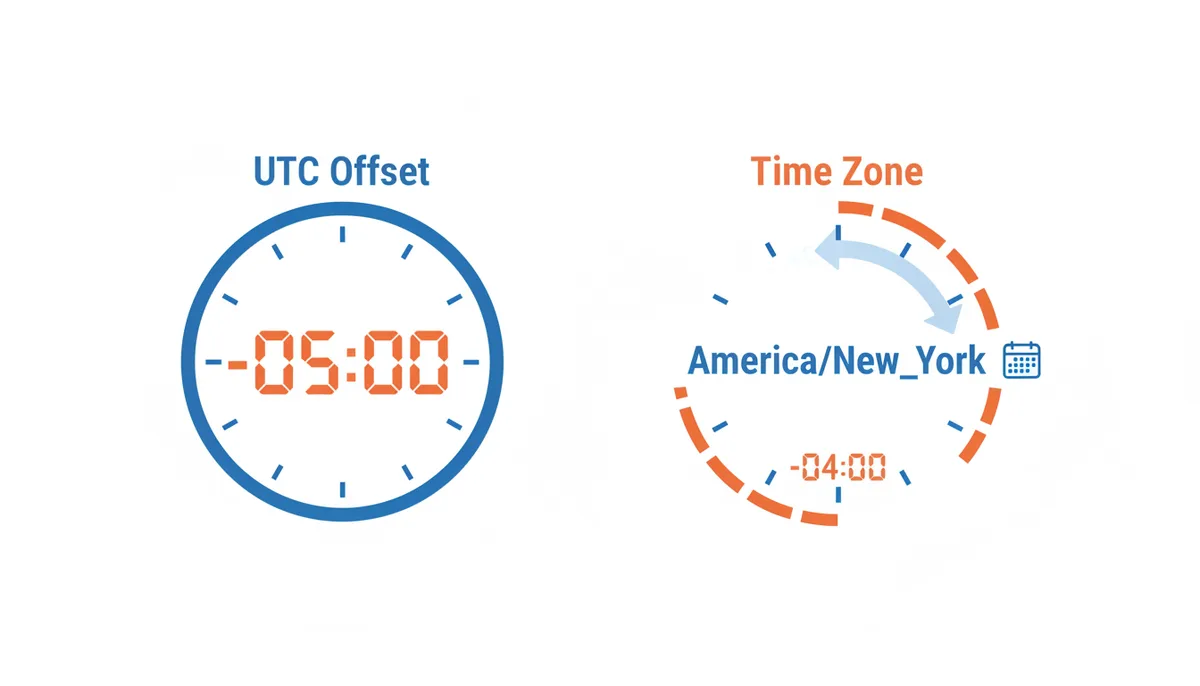
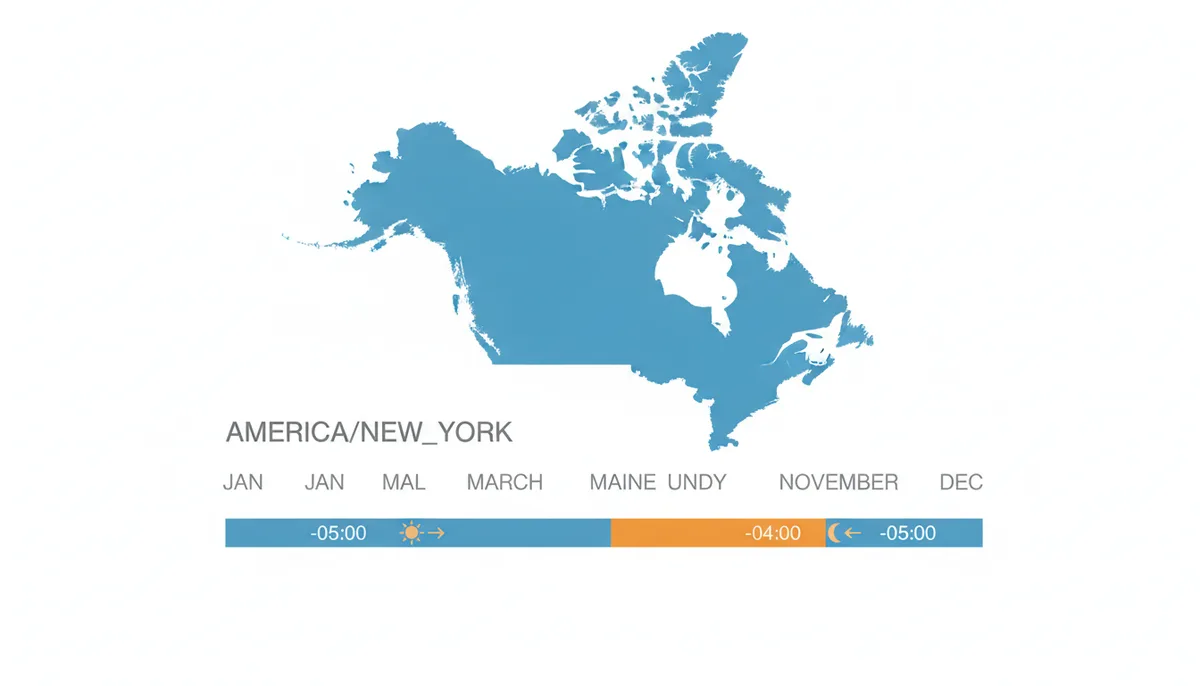
The number was the UTC offset. For New York in January, -05:00 is correct. For New York in July, -04:00 is correct. If you store or hard-code -05:00 as "New York," you have not captured New York. You have captured one slice of New York.
The bug is common because the two objects are easy to conflate: a UTC offset is a distance from UTC, while a time zone is a set of rules that tells you what that distance is at a given moment. When you convert 1,721,044,800 (2024-07-15 12:00 UTC) for a New York user, the offset is not a constant. It depends on the date, the region, and the rules that were in force at that date.
Fixing it requires a small but exact change in mental model. Do not ask, "What is New York's offset?" Ask, "What offset does the America/New_York rule set assign to this instant?" That one question removes daylight saving time bugs, historical rule bugs, and a lot of "why does the calendar show midnight?" support tickets.
What Is a UTC Offset? The Simple, Static Number
The offset in 2024-07-15T08:00:00-04:00 is an instruction for one exact moment: "this local wall clock is four hours behind UTC." A UTC offset is the difference between local civil time and Coordinated Universal Time, expressed in hours and minutes. Common formats are +02:00, -05:00, and -03:30. The sign tells you the direction: +02:00 means the local clock is ahead of UTC; -05:00 means it is behind UTC.
The critical word is fixed. A UTC offset is a static value for one instant: "subtract five hours from UTC." It is not a place. It does not contain rules for what happens next month, next year, or in a past decade.
ISO 8601 uses offsets because they are unambiguous for an instant. A timestamp like 2024-07-15T08:00:00-04:00 describes the exact moment when converted to UTC: it is 12:00 UTC. That is enough for a log line. It is not enough to reproduce future calendar behavior for a place.
Offsets are not always whole hours either. Nepal uses +05:45, and the Chatham Islands use +12:45 in standard time. Those half-hour and 45-minute offsets still have the same limitation: they answer "what is the distance at this moment?" not "what should the distance be on a later date?"
One region may have several valid offsets over time. For America/Chicago, these are all true in 2024:
| Moment | UTC offset | Abbreviation at that moment |
|---|---|---|
| 12:00 UTC, Jan 15, 2024 | -06:00 | CST |
| 12:00 UTC, Mar 11, 2024 | -05:00 | CDT |
| 12:00 UTC, Jul 15, 2024 | -05:00 | CDT |
| 12:00 UTC, Nov 4, 2024 | -06:00 | CST |
If you need to convert a single timestamp, an offset can be enough once you already know which offset applies. If you need to convert many timestamps across seasons, years, or regions, a fixed offset stops being a shortcut and starts being a bug generator.
What Is a Time Zone? A Region with a History of Rules
The name America/Los_Angeles is not a city label; it is a rule set. In software, a practical time zone is usually an IANA time zone name: a string such as America/New_York, Europe/London, or Asia/Kolkata. These names are sometimes called Olson names because they come from a database originally maintained by Arthur David Olson.
The important part of a time zone is not the current offset. It is the rule history. The America/New_York rule set contains information such as when Eastern Standard Time applies, when Eastern Daylight Time applies, which dates daylight saving starts and ends, and what happened before the modern rules were written. It can also contain exceptions: if a government changed the daylight saving start date, the rules reflect that.
For U.S. zones, for example, the dates used for daylight saving time changed in 2007. An application written in 2006 with a fixed table of "second Sunday in March" and "first Sunday in November" was already wrong for the rules in force before that change. A time zone database is not a convenience layer. It is the record of what civil time actually was and is.
A time zone name is therefore a function. You pass it a timestamp and it returns the local offset and local time for that exact instant. A UTC offset is a number you pass to arithmetic. If your code has a function that returns "offset for America/New_York" and that function simply returns -05:00, you have replaced a function with a constant. That is the whole UTC offset vs time zone problem in miniature.
For developers, the "Area/Location" format matters because it is more precise than abbreviations. America/New_York unambiguously identifies the New York rule set. EST does not. It can refer to Eastern Standard Time, Eastern Time broadly, or something else depending on context. In many programming environments, abbreviations are historical leftovers, not first-class time zones.
A time zone also can cover more than one city. Europe/Madrid and Europe/Berlin share much of their modern history in Europe, but they are separate rule sets. Asia/Shanghai represents a region whose rules are associated with Shanghai, even if the area is large. The name points to the rules, not merely to a clock on a building.
How Does Daylight Saving Time Break Fixed Offsets?
Daylight saving time is the most common reason fixed offsets fail, so run the numbers. Consider two timestamps and use Chicago as the target region.
- Winter timestamp: 1,705,320,000 is 2024-01-15 12:00 UTC. Chicago in January is on Central Standard Time, offset -06:00. Subtract six hours and you get 06:00 local.
- Summer timestamp: 1,721,044,800 is 2024-07-15 12:00 UTC. Chicago in July is on Central Daylight Time, offset -05:00. Subtract five hours and you get 07:00 local.
If your code has stored Chicago's offset as -06:00, the January result is correct. The July result comes out as 06:00, one hour early. The timestamp has not changed. The conversion rule did.
New York gives the same kind of failure with a different sign. Using a fixed -05:00 offset for New York produces a correct January value and an incorrect July value:
| Date | Timestamp (UTC) | Correct local time | Time zone abbreviation | UTC offset | Result using a fixed -05:00 offset | Error |
|---|---|---|---|---|---|---|
| Jan 15, 2024 | 1,705,320,000 (2024-01-15T12:00:00Z) | 07:00 | EST | -05:00 | 07:00 | None |
| Jul 15, 2024 | 1,721,044,800 (2024-07-15T12:00:00Z) | 08:00 | EDT | -04:00 | 07:00 | 1 hour early |
The error is not "off by a few seconds." It is a full hour, which is exactly enough to miss a standup, confuse a scheduled report, or make a log correlation look impossible. In distributed systems, that hour can become the thing you chase for days while blaming the database or the client machine.
For local-to-UTC conversion, the boundary has a second kind of problem: nonexistent and ambiguous local times. When clocks jump from 02:00 to 03:00, "02:30" does not exist. When clocks fall back from 02:00 to 01:00, "01:30" happens twice. A time zone database can make a defined choice. A fixed offset cannot even see the boundary.
Take a naive local time of 2024-03-10 02:30 in America/Chicago. At 02:00 local, clocks spring forward to 03:00. That 02:30 is a gap. If your system only has an offset, it might subtract five or six hours and produce a UTC value without ever asking whether the input existed. If the value came from a user form, that is a validation problem. If it came from a migration script, that is a silent data corruption path.
Now take 2024-11-03 01:30 in the same region. Because clocks fall back, that local wall time can refer to two different moments, one during daylight time and one during standard time. Without the time zone rules and an explicit choice about which instance you mean, the data is ambiguous.
Beyond DST: Why Political and Historical Changes Matter
A table of winter and summer offsets still fails when a government changes the rules. Time zone rules are political. Governments change them.
Several real changes show why a single number cannot serve as a time zone:
-
Change: Russia used permanent summer time from 2011 and moved back to standard time in 2014
Why a fixed offset breaks: A stored offset chosen from one regime becomes wrong for dates in other regimes in the same region
What the IANA rules preserve: Which years the region used summer-style time, standard-style time, and transition dates
-
Change: Samoa moved across the International Date Line in December 2011 and skipped December 30
Why a fixed offset breaks: Two dates with similar clock labels can belong to different calendar days before and after the change
What the IANA rules preserve: The date-line side of the region and the exact day that disappeared
-
Change: Turkey permanently kept a UTC+3 summer-time-style offset from 2016 onward
Why a fixed offset breaks: An application built around the old winter offset can become wrong for dates after the permanent shift
What the IANA rules preserve: The 2016 transition to a permanent UTC+3 rule
These are not exotic bugs. They appear in log analysis, financial reconciliation, historical exports, user analytics, and migration scripts. If you have ever converted a batch of old records using today's offset, you have created a data-quality problem you may not notice until someone asks why events in February 2011 line up strangely.
Historical records are especially sensitive. A timestamp from 2009 in a European region may use rules that no longer apply in the same form. A timestamp from 2013 in a Russian region may have been stored during a period when the region did not follow the seasonal pattern used before or after. If your conversion code only knows the current offset, it is answering a historical question with a present-day constant.
The key distinction is this: a UTC offset answers an arithmetic question about one value. A time zone database answers a legal and historical question about a region. You need the database when the question includes a date, a past change, a future schedule, or a user who moves between regions.
The Solution: How the IANA Time Zone Database Works
When your language resolves America/Los_Angeles, it is doing a lookup, not guessing. The practical solution is the IANA Time Zone Database, often called tzdata or zoneinfo. It is maintained in public source distributions and is used by Linux, macOS, Windows, major programming runtimes, databases, and many SaaS products. When you see a system asking for America/Los_Angeles, it is almost certainly resolving that name against the current database.
tzdata does not store a simple table of current city offsets. It stores rules and transitions. For a region, it records when standard time applies, when daylight time applies, the offset for each period, and the transition times for daylight saving changes. The database also carries historical changes, so a conversion for a date in 1998 can still return the local time that would have applied then.
Here is the mechanism in code terms. You pass two things into the conversion: an absolute instant and a region name. The library asks the database what rule governs that instant. It then returns a local time with the correct offset and abbreviation.
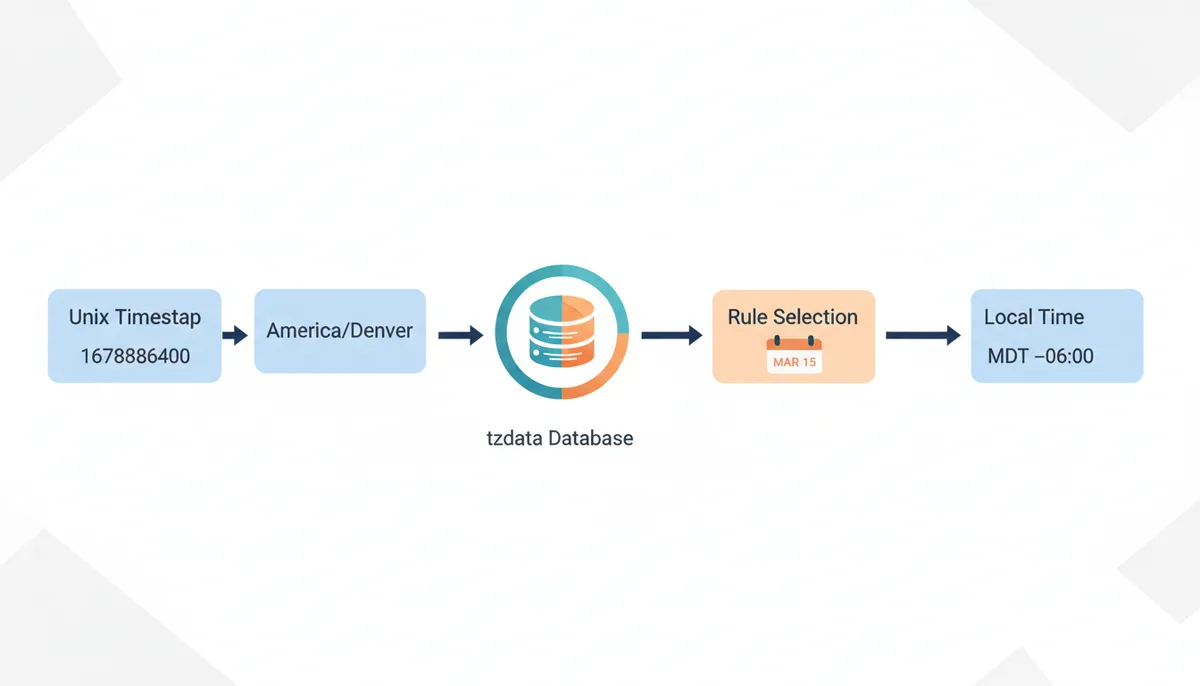
Suppose you convert 1,721,044,800 for America/Denver. Denver is Mountain Time. In January, the offset is -07:00. In July, daylight saving time shifts it to -06:00. A fixed offset chosen once will be wrong for one of those seasons. A tzdata lookup chooses -06:00 for July and returns 06:00 local.
Another example: 1674216000 for Europe/Paris. Paris in winter is on Central European Time, offset +01:00. The conversion returns 13:00 on 2023-01-20, not 14:00 or 12:00. The same numeric timestamp converted for Africa/Cairo at that moment would use that region's rules, which differ.
The same instant can also produce a local time that looks "wrong" to a human because the person expects their current offset. If a New York user views a January timestamp and sees 07:00, that is correct for America/New_York in January. If the same user expects the July rule to apply to the January data, the conversion is being interpreted as if the offset were a place. It is not.
For quick spot checks, the Time Zone Converter on this site is a reasonable place to test an epoch value against a named region. For repeated conversions, batch jobs, or log cleanup, the Batch Converter does the same kind of lookup in one pass instead of asking you to hand-edit each line.
The database is not magic, but it is the closest thing to a shared source of truth. If you have a Unix timestamp, a time zone name, and an up-to-date copy of the rules, you can answer the question "what was the civil time in this region at this instant?" consistently. If you have only an offset, you are one rule change away from a silent bug.
Best Practices: How to Store and Convert Timestamps Correctly
The column that saves your history is not the local-time column. The first rule is boring and non-negotiable: store absolute moments in UTC. That can be a Unix timestamp in seconds, a 64-bit epoch number, or an ISO 8601 string with Z or +00:00. Examples: 1721044800, 2024-07-15T12:00:00Z, or 2024-07-15T12:00:00+00:00. They all mean the same instant.
Store UTC because it has no regional rules. A UTC timestamp is a point on a timeline, not a wall clock in a room. If you store a local time without an offset, you lose the ability to recover the exact moment when someone travels, changes regions, or when the region's daylight saving rules change.
The second rule: convert to local time at the last possible moment, for the specific user or report. Do not convert all rows to a single regional wall time and store that as "the real time." The database row is UTC. The presentation layer is where a time zone becomes visible. This keeps ordering, grouping, and arithmetic stable.
If you are building an analytics dashboard, aggregate over UTC first. If the user is in Australia/Sydney and asks for "today," you still need to decide whether "today" means the user's civil day or the server's UTC day. That decision belongs in the query layer, not in the stored timestamp. Store the instant, store the user's zone, then convert for display.
The third rule: store the user's IANA time zone name, not their current UTC offset. If a user in Berlin has profile field Europe/Berlin, your system can display March, July, and historical dates correctly. If the field contains +01:00, the moment daylight time starts, the offset is stale. The profile field should look like this:
- Profile ID: 4812
- User email: someone@example.com
- Time zone: Europe/Berlin
What about scheduling? If the question is "When did this event actually happen?" store UTC. If the question is "When does the user expect this recurring meeting?" store the local rule plus region, often 15:30 every Monday in America/Sao_Paulo. Recurring meetings are especially sensitive: an offset that was right last month may be wrong next month.
For one-time events, UTC is often enough: the user creates a meeting at a specific absolute moment, you store 2025-03-09T14:30:00Z, and later display it as local time. For repeated events, "Monday at 15:30 local" is not one UTC instant per week. In many regions it changes twice a year. Store the rule and the zone.
ISO 8601 is useful because it can express both the instant and the offset. Use 2024-07-15T08:00:00-04:00 when you need to show local civil time and its distance from UTC. Do not use it as a replacement for the region name if you need future daylight saving behavior. For an absolute timestamp, prefer Z. For human display, add the region name separately: "2024-07-15 08:00 America/New_York."
If you are migrating old data that was stored as naive local strings, preserve what you can. If the source system only saved 2024-11-03 01:30 with no offset or region, record that it is naive and ambiguous. If you know the source region, store that region too. If you can identify whether the value was intended as the first or second 01:30, encode that decision. Trying to turn every old string into a perfect UTC instant is a common migration mistake. The safer path is to make the uncertainty explicit, then resolve it with the actual region rules when you can.
Leap seconds are a separate detail, but they reinforce the same lesson. Many Unix time implementations treat UTC days as 86400 seconds and do not expose leap seconds as an extra visible second in civil timestamp APIs. Some systems smooth clock differences instead. If your system needs precise physical elapsed time, that is a different measurement problem. For timestamp conversion, the immediate danger remains confusing offset with region.
Common Pitfalls and How to Avoid Them
The worst shortcuts are the ones that compile. The most dangerous shortcut is treating abbreviations as time zones. EST is not a time zone. It is a label for Eastern Standard Time, usually offset -05:00. The time zone is America/New_York, whose rules use EST and EDT. CST is even worse: in North American contexts it can mean Central Standard Time in the United States; in other contexts it can mean China Standard Time; in Cuba it may refer to Cuban Standard Time. The abbreviation hides the rule set, and the rule set is what matters.
Hardcoding offsets is the second mistake. It often starts as a performance shortcut: "this user is in New York, use -05:00." It then becomes a bug in March, then a bug in November, then a bug in 2007 when U.S. daylight saving dates changed. If the offset must be right for all dates, you need a lookup, not a constant.
Storing naive local time is the third. If a column contains 2024-11-03 01:30 with no offset or region, it could be the first 01:30 after a fall-back or the second 01:30 before standard time resumes. If the column contains 2024-03-09 02:30 with no context, it may not exist. The system cannot know what it is showing.
A fourth mistake is using a browser-provided offset as if it were the user's time zone. A browser can give you a current offset, but that number may be stale, may not survive daylight saving changes, and may not represent the user's actual region if their device, profile, or operating system is set to a nearby zone. For a durable user preference, ask for or infer an IANA name, then store the name.
-
Area: Storing time
Common mistake (the wrong way): Storing 2024-07-15 08:00 EST in a database column
Why it fails: The abbreviation is not the region's full rules, and the value cannot be converted reliably for other regions or historical daylight saving changes
Best practice (the right way): Store 2024-07-15T12:00:00Z as UTC, and keep the display region only when needed
-
Area: Identifying a time zone
Common mistake (the wrong way): Saving EST, CST, or +05:30 in the user profile
Why it fails: Abbreviations are ambiguous; a saved offset becomes wrong at the next rule change
Best practice (the right way): Save America/New_York, Asia/Kolkata, or another exact IANA name
-
Area: Converting time
Common mistake (the wrong way): Subtracting 5 hours for every "New York" timestamp
Why it fails: It ignores daylight saving time and historical rule changes
Best practice (the right way): Use a tzdata-aware library such as Python zoneinfo, Java java.time, or JavaScript Intl with America/New_York
There is a fifth mistake: converting for display too early. If you turn a UTC timestamp into a local string during import and then use that string for future display in another region, you have thrown away the instant. Keep the instant as UTC. Convert only in the last layer that needs wall time.
Use abbreviations for display only when the audience understands the local convention. In user-facing text, "EDT" can be clearer than -04:00. In APIs, database fields, logs, and file formats, prefer the exact instant plus an explicit offset if the format requires one, and keep the IANA name separate if you need rules. A field like displayed_at may safely contain 2024-07-15T08:00:00-04:00. A field like created_at should be UTC.
How Programming Languages and Databases Handle Time Zones
Python gives you a naive datetime object that says "wall time" but does not say where. The modern standard-library answer is zoneinfo, available in Python 3.9 and later, which uses the operating system tzdata. A timestamp is an absolute instant until you attach a zone:
- datetime.fromtimestamp(1721044800, tz=ZoneInfo("America/New_York")) returns a July value at 08:00, not 07:00.
- A Python naive datetime has no offset. If you call it "New York" after the fact, you are making a claim, not reading data.
- pytz still appears in older projects. It is not the modern first choice for new code because its localization API can create subtle errors if misused.
See the zoneinfo documentation for the recommended approach in modern Python.
Java's java.time is built around the distinction between instants and local civil time. Convert through UTC first, then apply a region:
- Instant.ofEpochSecond(1721044800) is the moment.
- ZonedDateTime.ofInstant(instant, ZoneId.of("America/New_York")) applies New York's rules.
- The result carries the offset for that exact moment, including whether it is EST or EDT.
See Oracle's java.time guide for the standard Java approach.
JavaScript can format a numeric timestamp or Date object using the browser or runtime's time zone support. With Intl.DateTimeFormat, you can ask for a region:
- new Intl.DateTimeFormat("en-US", { timeZone: "America/Los_Angeles", dateStyle: "full", timeStyle: "short" }).format(new Date(1721044800000)) shows the Los Angeles wall-clock time for that instant.
- Date.prototype.toLocaleString can use the timeZone option, but support depends on the runtime and available ICU data.
- Older moment.js code may work if moment-timezone is loaded and updated, but it is easy to forget where the offset came from when migrating to Temporal or native APIs.
Node.js runtimes often need full ICU or a timezone database package depending on the build. A stripped-down container can fail to resolve some IANA names or produce inconsistent formatting. If a conversion works locally but not in production, the difference is frequently the installed time zone data, not the application logic.
Databases are the same story at a different layer. PostgreSQL's timestamptz is a timestamp with time zone in name, but it stores an absolute moment, not a local region. The session time zone controls how it is displayed when converted to local time. A query like SELECT to_timestamp(1721044800) AT TIME ZONE 'America/New_York'; can show the New York wall-clock time for that instant. The important part is that the conversion uses PostgreSQL's time zone data, not your hand-written offset.
MySQL, MariaDB, SQL Server, and other engines have their own models for DATETIME, TIMESTAMP, and offset-aware types, but the principle is the same: choose whether a value is an absolute instant, a wall-clock time, or a wall-clock time with a zone. Do not mix them silently.
For application settings, TZ environment variables and OS locale settings can affect default local time formatting. That is convenient for human debugging and dangerous for production consistency. Server code should be explicit: use UTC internally, use an IANA name for display, and do not let the machine's default zone decide how users see their data.
Keep tzdata updated. Governments change rules without warning, and your language runtime, operating system container image, or database server is only as correct as the rules installed. A container built with stale tzdata can produce a wrong local time without throwing an exception. That is why the "store UTC" rule protects history: if the display layer is stale, you can still recover the true instant, then re-render with a corrected zone database.
FAQ
Can I just store everything in UTC and ignore time zones?
Store everything that is an absolute moment in UTC. Do not ignore time zones when you need to show civil time, schedule recurring local events, validate a user's "Tuesday 3 p.m." preference, or interpret logs that were already written in local wall-clock time. UTC gives you the moment. The time zone gives you the meaning humans expect.
Isn't GMT the same as UTC?
For many operational conversations, GMT is treated as the same as UTC. Technically, GMT is an older civil time standard associated with solar time at Greenwich, while UTC is the modern time standard maintained from atomic clocks and leap-second adjustments. Use UTC in software, logs, APIs, and documentation. If you need a region name, use an IANA name such as Europe/London, because London uses GMT in winter and British Summer Time in summer.
Why do IANA time zone names look like 'Area/Location'?
Because a city is easier to disambiguate than a three-letter label. America/New_York identifies the rule set historically tied to New York for the surrounding region. Asia/Shanghai identifies the rule set associated with Shanghai, even if several cities share those rules. The format avoids relying on ambiguous abbreviations and keeps the name attached to a geographical region, not to a single offset.
How often is the IANA Time Zone Database updated?
It is updated as governments and standards bodies announce changes to civil time rules, often several times a year. A change may add a new daylight saving period, remove daylight saving time, move a date-line boundary, or adjust a transition date. Because updates are rule-driven, not calendar-driven, "I updated last year" is not enough. Keep your OS images, runtimes, and database servers updated, especially before migrations.
Does a Unix timestamp itself contain time zone information?
No. A Unix timestamp is a count of seconds from the Unix epoch, 1970-01-01T00:00:00Z. It is an instant, not a clock reading in a place. The number 1721044800 is the same moment everywhere. What changes by user, region, and date is how you render it as local time.
What is the Year 2038 problem?
Some systems store Unix time in a signed 32-bit integer. That representation reaches its maximum at 2147483647, which is 2038-01-19T03:14:07Z. The next second overflows, causing unpredictable behavior on affected systems. Systems that use 64-bit timestamps do not hit that boundary in any normal time span. The issue is independent of time zones, but it is another reason to keep timestamps as clear, explicit data rather than as a hand-formatted string with an offset baked in.
Sources
- IANA (Internet Assigned Numbers Authority) — The existence, purpose, and official status of the Time Zone Database (tzdata).
- The Open Group (POSIX Standard) — The official definition of 'Seconds Since the Epoch' (Unix time) as being based on UTC.
- ISO (International Organization for Standardization) — The definition and format of the ISO 8601 standard for representing dates, times, and UTC offsets.
- Python Official Documentation — Best practices for handling IANA time zones in a modern programming language using the standard library.
- Oracle Java Documentation — The standard approach for date and time handling, including time zones, in the Java ecosystem via the `java.time` package.