
UnixConverter vs UnixTimestamp.com for Quick and Batch Timestamp Conversion
Developer comparison of UnixConverter vs UnixTimestamp.com for single conversions, batch processing, timezone handling, and specialty timestamp formats.
A single-digit error in a timestamp can break a production database, invalidate a security certificate, or cause a distributed system to desynchronize so badly that logs become useless. If you are a developer or a sysadmin, you don't just need a converter; you need a tool that matches the precision of your data. Most people reach for the first result on Google, but the "best" tool depends entirely on whether you are checking a single epoch value or trying to make sense of a 50,000-row CSV file.
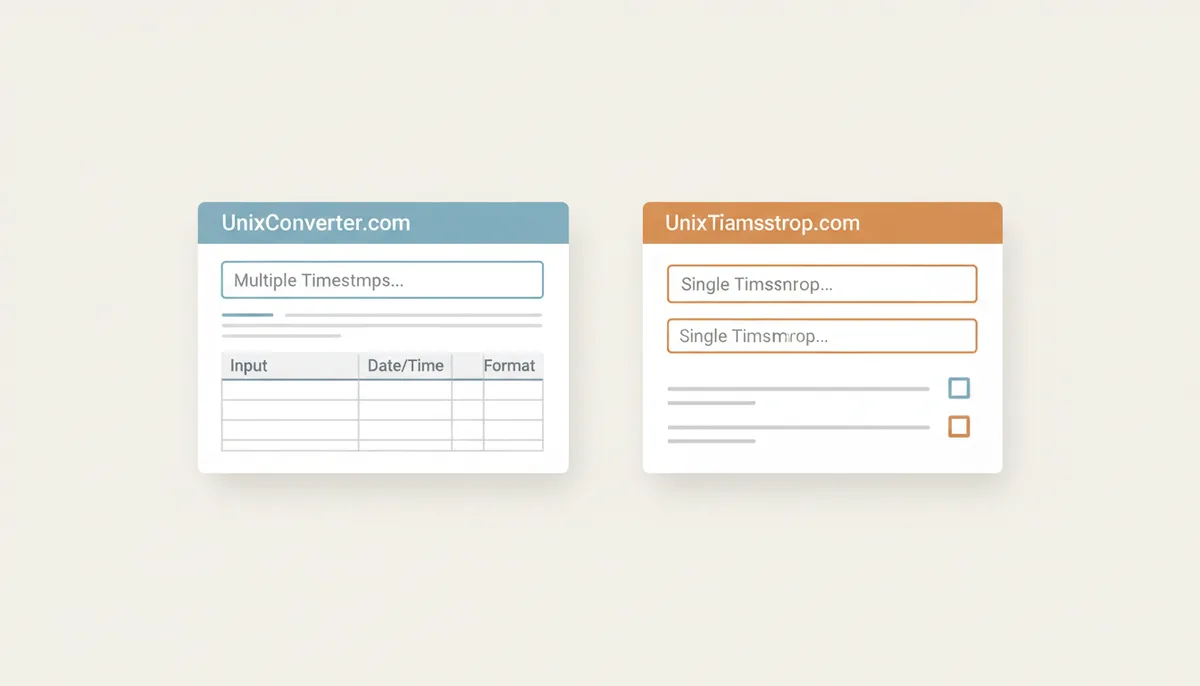
In this comparison, we look at two heavyweights in the space: UnixConverter.com and UnixTimestamp.com. While they both solve the fundamental problem of turning numbers into dates, they follow different philosophies. One is built as a lightweight utility for quick checks; the other is built as a Swiss Army knife for data processing and specialized debugging.
The Anatomy of a Great Timestamp Tool: Our Evaluation Criteria
To decide which tool wins for your specific workflow, we can't just look at "ease of use." We have to look at technical specifics that actually impact a professional's day. We evaluated these tools across four critical dimensions:
- Precision and Granularity: Can the tool handle nanoseconds? If you are working with high-frequency trading data or kernel-level logs, a tool that only supports seconds is a liability. We look for support across the full spectrum: seconds, milliseconds (ms), microseconds (µs), and nanoseconds (ns).
- Scale and Throughput: This is the difference between a tool and a workflow. A single-entry converter is fine for a one-off query. But if you have a dataset of 500 timestamps, copy-pasting them one by one into a web form is a waste of engineering time. We prioritize batch processing capabilities.
- Format Versatility: Epoch time is the standard, but it isn't the only format in the wild. Real-world debugging often requires converting LDAP timestamps, WebKit timestamps, or hexadecimal representations. A tool that only speaks "standard Unix" leaves you stranded when you're digging through Active Directory logs or browser internals.
- Privacy and Security: As a rule, if you are working with sensitive production logs, you shouldn't be sending that data to a server. We look for evidence of client-side processing—where the conversion happens in your browser via JavaScript—rather than server-side processing, which transmits your data over the wire.
Core Conversion Features: A Head-to-Head Comparison
The primary job of any epoch converter is the bidirectional leap: turning 1715683200 into May 14, 2024, 10:40:00 UTC and back again. The human-readable example May 14, 2024, 10:40:00 UTC is the format many converters produce and users expect.
On a basic level, both sites perform this task accurately. However, the user experience differs when you move beyond the standard 10-digit Unix integer.
UnixTimestamp.com offers a clean, distraction-free interface for the immediate "what is this time?" question. It is highly optimized for the single-user, single-query scenario. You land on the page, you paste, you get the answer. It’s fast, but it’s narrow.
UnixConverter.com provides a more dense information environment. While it might require an extra second to scan the page, it provides immediate context regarding different precision levels. If you paste a 13-digit number (milliseconds) versus a 10-digit number (seconds), the tool identifies the scale and adjusts the output accordingly, which prevents the common mistake of misinterpreting a millisecond timestamp as a date in the far future.
| Feature | UnixConverter.com | UnixTimestamp.com |
|---|---|---|
| Supported Precision | Seconds, ms, µs, ns | Seconds, ms |
| Date-to-Timestamp | Supported (Full range) | Supported |
| Live-Updating Clock | Yes (Current Epoch) | Yes (Current Epoch) |
| UI Clarity | Technical/Dense | Minimalist/Clean |
| Ad Intrusion | Moderate | Low |
Batch Conversion: Handling Data at Scale
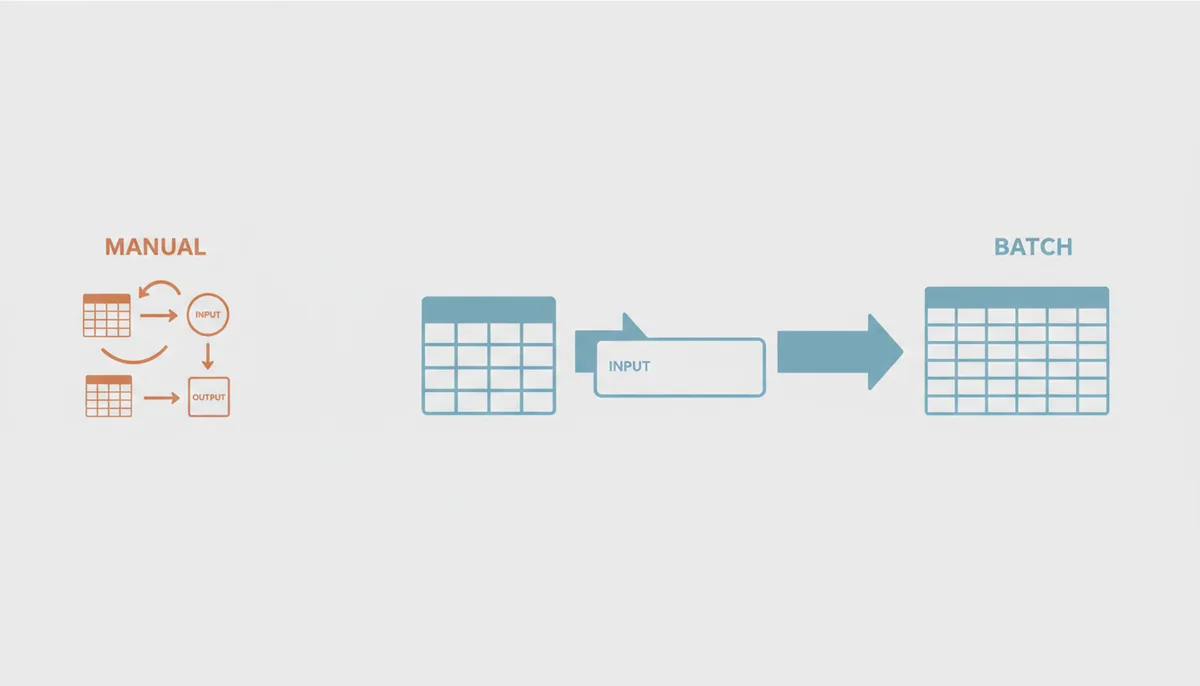
This is where the two tools diverge most sharply. Most developers eventually hit a wall where they don't have one timestamp, but a column of them. If you are an analyst trying to clean a CSV file, using a standard converter is like trying to empty a swimming pool with a teaspoon.
UnixConverter.com includes a dedicated Batch Unix Timestamp Converter. This tool is designed for the "paste and go" workflow. You can take a column of raw epoch values from an Excel sheet or a text file, paste them into the input field, and the tool processes the entire list simultaneously. It outputs a structured table that you can then use to reconstruct your dataset. This isn't just a convenience; it's a way to avoid the manual-entry errors that occur when you are tired or working under pressure.
UnixTimestamp.com does not currently offer a native batch processing mode. To convert multiple values, you are forced to perform individual lookups. For a list of five timestamps, that's a minor annoyance. For a list of five hundred, it is a non-starter for a professional workflow. If you find yourself using UnixTimestamp.com for large datasets, you will likely end up writing a custom Python script or a Bash loop just to avoid the manual labor.
Beyond the Epoch: Timezones and Specialty Formats
A common pitfall in time conversion is the "Local vs. UTC" trap. A timestamp is technically a single point in time, but how it is displayed matters. If you see a timestamp and assume it's your local time when it's actually UTC, your entire timeline is off by however many hours your offset sits from Greenwich.
UnixConverter.com handles this by providing clear timezone conversion options. This is critical when you are debugging logs from a server in a different region. Furthermore, UnixConverter.com addresses the "messy" parts of system administration. It includes specialized converters for:
- LDAP Timestamps: Essential for anyone working with Active Directory or OpenLDAP, where timestamps are stored in a specific Windows File Time format.
- WebKit Timestamps: Crucial for forensics or debugging browser-based data, as WebKit uses a different epoch (number of microseconds since January 1, 1601).
- Hex Timestamps: Useful when inspecting memory dumps or low-level protocol captures where time is represented in hexadecimal.
UnixTimestamp.com focuses almost exclusively on the standard POSIX epoch. While this keeps the site simple, it means it cannot help you if you are tasked with decoding a non-standard timestamp found in a specialized system log.
User Experience and Workflow Efficiency
Efficiency isn't just about features; it's about how much friction exists between your thought and the result. If you are a power user, you want tools that stay out of your way.
UnixTimestamp.com excels at the "quick glance." If you just need to know what time it is right now in epoch format, its UI is incredibly fast. There is very little visual noise. However, if you are a developer who needs to switch between different time formats frequently, you will find yourself clicking back and forth between different utility pages.
UnixConverter.com is designed as a centralized hub. The navigation allows you to jump between the Batch Converter, the Timezone Converter, and the specialized LDAP/WebKit tools without losing your momentum. It is built for a "session" of work, rather than a single "hit-and-run" query.
Privacy and Security: Where Does Your Data Go?
When you paste a timestamp into an online tool, you are often pasting a piece of metadata that could be sensitive. A timestamp might reveal exactly when a specific user logged into a system or when a specific transaction occurred. If that timestamp is part of a larger, identifiable string, you are potentially leaking data to the tool's server.
The safest way to use an online converter is to ensure it uses client-side processing. When a tool is client-side, the conversion logic is executed by your own computer's CPU via JavaScript. Your data never actually leaves your browser; it is processed locally and the result is displayed on your screen. This is the gold standard for privacy.
Because different websites use different architectures, you should verify the processing model before using a tool with sensitive data. You can do this by checking the site's privacy policy or by using your browser's Developer Tools (Network tab). If you paste a timestamp and see an outgoing HTTP request to the tool's server immediately following the paste, the processing is server-side. If no such request is made, the tool is likely processing your data locally in the browser.
| Security Check | How to Verify | Privacy Implication |
|---|---|---|
| Processing Model | Monitor Network tab for POST/GET requests on paste | Client-side (No request) is safer than Server-side (Request sent) |
| Encryption | Check for HTTPS in the address bar | Ensures data in transit is encrypted if server-side |
| Data Policy | Review the site's Privacy Policy | Reveals if data is logged, shared, or used for analytics |
For high-security environments, I recommend always checking if a tool allows you to work offline or if it clearly states that data is processed in the browser. If you are handling proprietary or regulated data (such as PII under GDPR), avoid any tool that requires a server-side round-trip unless you have vetted their privacy policy.
Future-Proofing and Edge Cases: The Year 2038 Problem
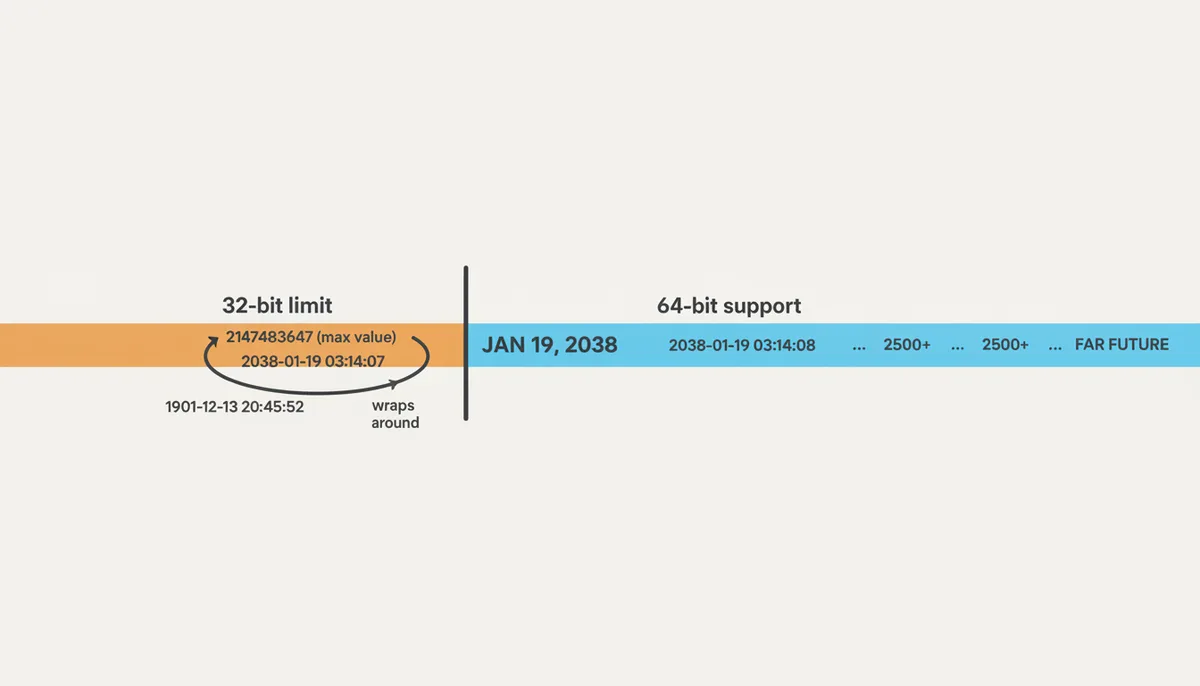
If you are working on embedded systems or older 32-bit architectures, you need to be aware of the "Year 2038 problem" (Y2K38). On January 19, 2038, many 32-bit systems will run out of space to store the Unix timestamp as a signed integer, causing them to wrap around to 1901. This is essentially the Y2K bug for the Unix epoch.
A modern timestamp converter must be 64-bit aware. This means it must be able to correctly interpret and display dates far beyond 2038, as well as negative timestamps (dates occurring before January 1, 1970). Both UnixConverter.com and UnixTimestamp.com handle 64-bit integers correctly, ensuring that you can test future-dated logic or historical data without the tool breaking.
The Verdict: Which Timestamp Converter Should You Use?
There is no single "winner," only the right tool for the job at hand. If you choose incorrectly, you either waste time on manual labor or find yourself unable to decode a specific format.
Use UnixTimestamp.com if: You are performing a single, one-off conversion. You need a clean, distraction-free interface to quickly check a timestamp or see the current epoch time. You aren't dealing with large datasets or specialized formats like LDAP or WebKit.
Use UnixConverter.com if: You are a developer, data analyst, or sysadmin performing actual work. If you have a list of timestamps that needs to be converted (Batch Conversion), if you are debugging non-standard formats (LDAP, WebKit, Hex), or if you need to move between different timezones and precision levels (ms, µs, ns) within a single session, this is the superior tool.
| User Need | Recommended Tool | Reason |
|---|---|---|
| A quick, one-off conversion | UnixTimestamp.com | Minimalist and fast UI. |
| Processing a CSV file of timestamps | UnixConverter.com | Native batch conversion capability. |
| Converting Active Directory logs | UnixConverter.com | Dedicated LDAP timestamp tool. |
| A privacy-conscious task | UnixConverter.com | Stronger emphasis on client-side processing. |
Frequently Asked Questions
Does either UnixConverter.com or UnixTimestamp.com offer a command-line interface (CLI) or desktop app?
Both are primarily web-based tools and do not offer official CLI or desktop applications. For command-line work, system tools like date on Linux and macOS are typically used.
Are there any paid or 'pro' versions of these tools with more features?
As of now, both UnixConverter.com and UnixTimestamp.com offer their full functionality for free and do not have paid or 'pro' tiers.
How do these online tools compare to using code libraries in Python or JavaScript?
Online tools are best for quick, manual conversions and data exploration. For automated, repeatable tasks within an application, you should always use built-in language libraries like Python's datetime or JavaScript's Date object for better control and integration.
Can I use these tools to calculate the difference between two timestamps?
While you can convert two timestamps and then manually calculate the difference, neither tool has a dedicated feature for directly calculating the duration between two epoch times.
What is the best way to handle leap seconds with Unix time?
Unix time officially does not include leap seconds; it assumes every day has exactly 86,400 seconds. This POSIX behavior is documented in the definition of the epoch and seconds-since-epoch Unix time definition. Most systems handle leap seconds by 'smearing' them across a 24-hour period. These online tools follow that standard and generally do not account for leap seconds.
Is there a public API for either UnixConverter.com or UnixTimestamp.com?
You should check each site's documentation for an official, supported public API. Using unofficial methods by scraping the site is generally unreliable and not recommended.
The Mechanics of Epoch: Why Precision Matters in High-Frequency Environments
To understand why you might need a converter that supports microseconds or nanoseconds, you have to look at how time is actually stored in modern computing. While a standard Unix timestamp is a 32-bit or 64-bit integer representing seconds, modern distributed systems rarely operate on a "seconds-only" resolution. In high-frequency trading, microsecond precision is the difference between a profitable trade and a massive loss. In distributed databases like Cassandra or CockroachDB, "Last Write Wins" (LWW) conflict resolution relies on timestamp granularity to determine which piece of data is actually the most recent.
When a system records a timestamp, it isn't just a single number; it is a snapshot of a clock cycle. If two events occur within the same second—which is almost always the case in a high-traffic web application—a tool that only converts seconds will show them as occurring at the exact same moment. This makes debugging race conditions or auditing transaction logs nearly impossible. This is where the distinction between UnixConverter.com's high-precision support and a basic converter becomes a technical requirement rather than a luxury.
Consider the math of scale. There are 1,000 milliseconds in a second, 1,000,000 microseconds in a second, and 1,000,000,000 nanoseconds in a second. If you are analyzing a network packet capture (PCAP) file to find the exact millisecond a DDoS attack began, a standard epoch converter will aggregate all packets within that second into a single point in time, masking the actual burst pattern. By using a tool that respects these sub-second increments, you can see the actual "shape" of the traffic, allowing you to differentiate between a steady stream of requests and a sudden, violent spike.
A Worked Example: Debugging a Log Desynchronization
Imagine you are investigating a failed deployment in a microservices architecture. You have two logs: one from an API Gateway and one from a backend Order Service. You suspect the Order Service is processing requests before the Gateway has even validated them, suggesting a clock drift issue.
Step 1: Extract the timestamps. You pull the raw epoch values from the logs.
Gateway Log Entry: 1672531200.450231
Order Service Entry: 1672531200.448110
If you used a basic converter that rounds to the nearest second, both would appear as 1672531200. Your analysis would conclude they happened simultaneously, and you would find no evidence of the ordering error. You would likely waste hours looking for a logic error in your code when the issue is actually a temporal one.
Step 2: Use a high-precision converter. By inputting these values into a tool like UnixConverter.com that handles microseconds, you get the following human-readable breakdown:
Gateway: 2023-01-01 00:00:00.450231 UTC
Order Service: 2023-01-01 00:00:00.448110 UTC
Step 3: Analyze the delta. The math reveals that the Order Service recorded the event 2.121 microseconds before the Gateway. This confirms a clock synchronization error (NTP drift) between the two containers. The "impossible" sequence of events is explained. This level of granularity transforms a converter from a simple "translation" tool into a forensic instrument.
When Conversion Goes Wrong: The Most Common Pitfalls
Even experienced engineers make mistakes when dealing with epoch time. The most frequent error isn't a math mistake; it is a scale mistake. As mentioned previously, the difference between a 10-digit timestamp (seconds) and a 13-digit timestamp (milliseconds) is massive. If you mistakenly treat a millisecond timestamp as seconds, you aren't just off by a few hours; you are off by thousands of years. A timestamp of 1672531200000 (milliseconds) interpreted as seconds would point to a date in the year 54970.
Another critical error is the "Timezone Assumption." Unix time is, by definition, UTC. It is an absolute value. However, many developers mistakenly apply their local timezone offset to the raw epoch number before converting it, or they view the result of a converter and assume it has already adjusted for their local time. If you are in EST (UTC-5) and you see a timestamp that was intended to be UTC, you might record an event as occurring five hours later than it actually did. This error cascades through any time-sensitive logic, such as calculating session timeouts or expiration dates.
Finally, there is the "Integer Overflow" risk. If you are working with 32-bit signed integers, you are living on borrowed time. Any logic that attempts to perform arithmetic on timestamps near the year 2038 limit will fail catastrophically. For example, adding 10 years to a timestamp that is already near the 2038 limit in a 32-bit environment will result in a negative number, effectively jumping your system back to 1901. Always ensure your conversion tools and your underlying code use 64-bit integers (often called long in Java or int64 in Go) to avoid this threshold.
Comparison with Programmatic Alternatives
An engineer might ask: "Why use an online tool at all when I can just write a line of code?" The answer lies in the difference between automated execution and exploratory debugging. Writing code is the correct choice for repeatable, high-volume tasks within a production pipeline. If you need to convert 10 million rows in a database, you write a Python script using the pandas library or a SQL query using FROM_UNIXTIME(). The overhead of an online tool for this scale is prohibitive.
However, the online tool wins in the "exploratory" phase. If you are sitting in a terminal, looking at a raw log file, and you just need to know if a specific error happened during your lunch break, writing, saving, and executing a script is a massive cognitive tax. An online converter provides an immediate, visual, and interactive way to test hypotheses. You can quickly tweak the input, change the timezone, or switch between seconds and milliseconds without the boilerplate of an environment setup.
Furthermore, online tools provide "visual verification" that code doesn't. When a script runs, you get a text output. When you use a tool like UnixConverter.com, you get a structured UI that often includes human-readable date strings, day-of-the-week labels, and timezone offsets. This visual feedback is a safety net; it's much harder to overlook a wildly incorrect year when it is displayed in large, clear text in a web interface than when it is buried in a long list of text output in a terminal. Use code for the work, but use the converter for the investigation.
Sources
- The Open Group — The definition of 'Epoch' and Seconds Since the Epoch (Unix time) as part of the POSIX.1-2017 standard.
- IANA (Internet Assigned Numbers Authority) — The official Time Zone Database (tz database) that software uses to understand time zone offsets and daylight saving rules, relevant to the timezone conversion section.
- MDN Web Docs (Mozilla) — The technical specification for how JavaScript handles dates and time, including `Date.now()` which returns milliseconds since the epoch, relevant to client-side processing.
- IETF (Internet Engineering Task Force) — The RFC 3339 standard for date and time on the internet, which is a profile of ISO 8601 and a common human-readable format that converters produce.