How to Convert a Local Midnight to a Unix Timestamp Without Getting the Wrong Day
For developers: learn why local midnight conversions go wrong and how to produce correct Unix timestamps across time zones with practical code advice.
You need the Unix timestamp for the start of the day in London. Your code runs, you get a number, you convert it back, and it says 23:00 the previous day. You’ve just spent an hour debugging a one-second mistake that spanned two calendar dates. This isn’t a bug in your logic; it’s a fundamental misunderstanding of what a Unix timestamp is and how it interacts with the place you’re thinking about. The off-by-one-day error is the universal hazing ritual for anyone working with dates in code. Let’s end it.
Why Does Converting 'Midnight' Give You the Wrong Day's Timestamp?
The problem is that you’re asking for a location-specific concept using a location-agnostic tool. A Unix timestamp, also called epoch time, is a single number. It’s the count of seconds that have passed since a single, fixed instant in history: January 1, 1970, at midnight in UTC (Coordinated Universal Time). That moment is the "epoch." The timestamp 0 is that moment. The timestamp 86400 is exactly one day later, also in UTC.
When you say "midnight in New York on July 4th," you’re not describing a single moment on the global timeline. You’re describing a wall-clock time in a specific political and geographical region. At the moment your clock strikes midnight in New York, it’s already 04:00 UTC the same day, and it’s 17:00 in Tokyo on July 4th. Your single "midnight" corresponds to three different points on the UTC timeline for those three places.
The error occurs because most programming languages, when asked to parse a simple date string like "2024-07-04", default to assuming you mean midnight in UTC, or midnight in the server’s local time zone, which is almost never what you want. If your server is in UTC and you ask for "2024-07-04" in New York, the naive parser gives you the timestamp for 2024-07-04 00:00:00 UTC. When you later display that timestamp in New York time, it shows as 2024-07-03 20:00:00—the previous evening. The core conflict is this: you provided a timezone-dependent input but didn’t tell the computer which timezone to use, so it used the wrong one.
The Unbreakable Rule: Local Time vs. UTC
Every correct timestamp conversion is governed by one formula: Local Wall Clock Time = UTC + Timezone Offset. The offset is the number of hours and minutes a specific location is ahead of or behind UTC. Crucially, this offset is not a constant. It changes for many regions due to Daylight Saving Time (DST). New York is usually UTC-5, but becomes UTC-4 for part of the year.
A Unix timestamp is a point on the UTC timeline. It has no offset, no DST, no ambiguity. Your job when converting "local midnight" is to find the precise UTC timestamp where, after applying the correct, possibly shifting offset for that location and date, the local wall clock reads 00:00:00.
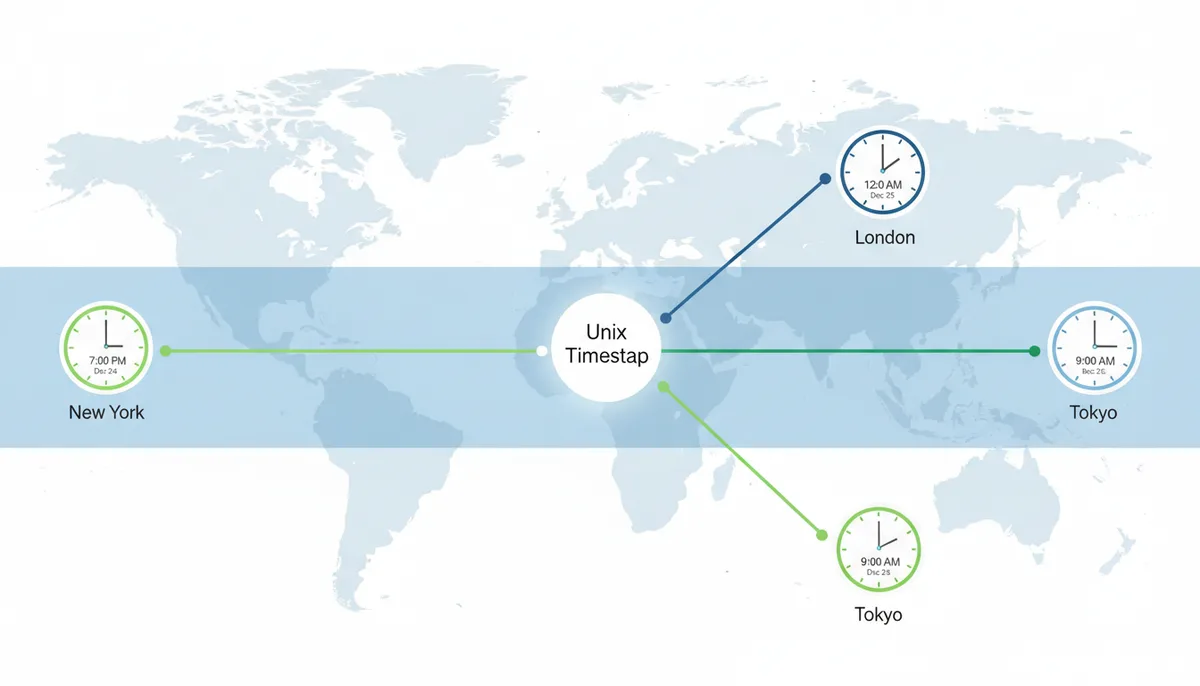
Think of it this way: you don’t convert a date to a timestamp. You convert a specific moment in a specific place to its universal, placeless identifier. The timestamp for the start of July 4th in New York is different from the timestamp for the start of July 4th in London. They are two different moments in universal time.
The Correct 3-Step Process for Any Language
This process works in every programming environment with proper date support. It’s language-agnostic.
- Construct a timezone-aware datetime object. You must explicitly create an object representing the full moment: the year, month, day, time (00:00:00), and the IANA time zone identifier (e.g.,
America/New_York,Europe/London). Do not use abbreviations like EST. This object represents "midnight as observed in that place." - Convert that object to its UTC equivalent. Let your language’s date library handle this. You ask the timezone-aware object, "What is the equivalent UTC time for this local moment?" The library applies the correct historical and future offset, including DST rules.
- Extract the Unix timestamp. From the resulting UTC datetime object, get the number of seconds (or milliseconds) since the 1970 epoch. This number is your correct, universal timestamp.
The magic is in step 2. You’re offloading the complex, ever-changing rules of global timekeeping to a library that’s updated with those rules. You are not doing the math yourself.
Code Recipes: Getting Midnight Timestamps in Practice
Here’s how the wrong way and the right way look in common languages. We’ll find the timestamp for midnight in Los Angeles (America/Los_Angeles) on 2024-12-25.
JavaScript (using the Temporal proposal)
The built-in Date object is fundamentally broken for timezone work. The modern solution is the Temporal proposal, which is not yet part of the JavaScript standard but is available via polyfill. If you can't use Temporal, a library like Luxon is the practical choice.
The Wrong Way:
// This is ambiguous and environment-dependent.

const wrongDate = new Date('2024-12-25');

const wrongTimestamp = Math.floor(wrongDate.getTime() / 1000);

// If run in a UTC environment, this is 2024-12-25 00:00:00 UTC.

// If run in a browser in LA, it's still problematic.
The Right Way (using Luxon library):
import { DateTime } from 'luxon';

// 1. Create timezone-aware object

const dt = DateTime.fromObject(

  { year: 2024, month: 12, day: 25, hour: 0 },

  { zone: 'America/Los_Angeles' }

);

// 2. & 3. Convert to UTC and extract timestamp

const correctTimestamp = dt.toSeconds(); // 1735113600
Python (3.9+ with zoneinfo)
Python's datetime module requires explicit timezone awareness.
The Wrong Way:
from datetime import datetime

# Naive datetime, no timezone info.

wrong_dt = datetime(2024, 12, 25)

# .timestamp() assumes system local timezone. Unreliable.

wrong_timestamp = int(wrong_dt.timestamp()) # Danger!
The Right Way:
from datetime import datetime

from zoneinfo import ZoneInfo  # Python 3.9+

# 1. Create timezone-aware object

la_tz = ZoneInfo('America/Los_Angeles')

la_midnight = datetime(2024, 12, 25, 0, 0, 0, tzinfo=la_tz)

# 2. Convert to UTC (handled by .timestamp())

# 3. Extract timestamp

correct_timestamp = int(la_midnight.timestamp())  # 1735113600
PHP (DateTime & DateTimeZone)
PHP's DateTime extension correctly handles timezones when used explicitly.
The Wrong Way:
// strtotime() uses the default timezone setting.

// This is a global variable, easily changed elsewhere.

$wrongTimestamp = strtotime('2024-12-25');
The Right Way:
// 1. & 2. Create timezone-aware object and convert in one step

$timezone = new DateTimeZone('America/Los_Angeles');

$datetime = new DateTime('2024-12-25 00:00:00', $timezone);

// 3. Extract timestamp

$correctTimestamp = $datetime->getTimestamp();  // 1735113600
The correct timestamp, 1735113600, is the universal identifier for the moment clocks in Los Angeles read midnight on Christmas 2024. If you convert that timestamp back to UTC, you’ll get 2024-12-25 08:00:00, which is exactly the 8-hour offset (PST) applied.
The Daylight Saving Time Trap: When Midnight is Ambiguous
Daylight Saving Time doesn’t usually switch at midnight, but it destroys the assumption that a location’s offset is constant. Let’s say you hard-code the offset for New York as -5 hours (EST). You calculate the timestamp for 2024-03-10, the day DST starts. Your calculation will be wrong by one hour because on that date, after 2:00 AM, the offset becomes -4 (EDT). If your code uses a fixed offset, any timestamp for local times after 2:00 AM that day will be off.
More insidiously, consider a place like Brazil where DST sometimes started at midnight. The local time 00:00:00 on that date simply did not exist; clocks jumped from 23:59:59 to 01:00:00. If you ask a naive system for that midnight, what should it return?
This is why you must use IANA time zone names (America/New_York, America/Sao_Paulo). The libraries that understand these names contain the complete history and predicted future of offset changes for that region. They know that 00:00:00 on that specific date in Sao Paulo was invalid, and they’ll either throw an error or adjust to a valid time, based on the library’s rules. A fixed offset cannot do this.
How to Reliably Determine the Correct Time Zone
Knowing the 3-step process is useless if you’re applying it to the wrong time zone. Here’s how to get the right one.
| Method | Accuracy | Implementation Complexity | When to Use It |
|---|---|---|---|
| Server Default Using the timezone of the machine running your code. |
Very Low. It’s only correct for server logs or internal processes tied to the server’s location. | Trivial. It’s the default. | Never for user-facing date logic. Only for timestamping server events in its own local time. |
JavaScript Intl APIIntl.DateTimeFormat().resolvedOptions().timeZone |
High. Returns an IANA string (e.g., "Europe/Berlin") based on the user’s OS settings. | Low. One line of browser-side JavaScript. | For web applications where you can run code in the user’s browser. You must send this string to your backend to use in conversions. |
| User Profile Setting A field where users select or confirm their time zone. |
Highest. User-provided and unambiguous. | Moderate. Requires a UI element, database field, and logic to apply the setting. | For any application with user accounts where date accuracy is critical (e.g., calendars, scheduling, analytics). It’s the only robust method. |
My rule: if you’re building a web app, use the JavaScript Intl API to get a best-guess timezone on first visit, but immediately offer a user profile setting to override it. Store that IANA string. Your server-side code should then always use this stored string—never the server’s timezone—when converting dates for that user.
Common Anti-Patterns That Guarantee Errors
These are the shortcuts that will eventually break your date logic, usually at 2 AM on a Sunday in March or November.
Anti-Pattern 1: Using Abbreviations (EST, PST, CEST). These are not unique identifiers. "CST" could mean Central Standard Time in the US (UTC-6), China Standard Time (UTC+8), or Cuba Standard Time (UTC-5). The library has no reliable way to know which you mean.
Anti-Pattern 2: Using Fixed Numerical Offsets. Storing "-07:00" in your database seems simple. But is that -7 always, or just in winter? If you store a timestamp and an offset, you’ve frozen a historical fact. That’s okay for recording when an event happened. It’s terrible for calculating future events or converting dates, because the offset for that location on a future date may be different.
Anti-Pattern 3: Manual Offset Math. Never, ever do this: utc_timestamp = local_timestamp + (offset_hours * 3600). You are almost certainly using a "local_timestamp" that is already misinterpreted, and your static offset will be wrong for half the year. You are re-implementing a time zone library, poorly. The libraries exist. Use them.
How to Verify Your Timestamp is Correct
After you generate a timestamp, prove it’s right. Don’t just trust it.
Using the Command Line: The date command syntax differs between GNU (Linux, WSL) and BSD (macOS) systems. Here’s how to use both to check our LA timestamp (1735113600).
On GNU/Linux or WSL:
Show in UTC (should be 08:00):
date -u -d @1735113600
Show in the America/Los_Angeles timezone (should be 00:00):
TZ=America/Los_Angeles date -d @1735113600 '+%Y-%m-%d %H:%M:%S %Z'
On macOS (BSD date):
Show in UTC:
date -u -r 1735113600
Show in the America/Los_Angeles timezone:
TZ=America/Los_Angeles date -r 1735113600 '+%Y-%m-%d %H:%M:%S %Z'
Using an Online Tool: Go to a dedicated converter. Paste 1735113600 into the timestamp field, set the output timezone to "America/Los_Angeles", and verify the output is "2024-12-25 00:00:00". The fact that the tool is independent of your code makes it a perfect sanity check.
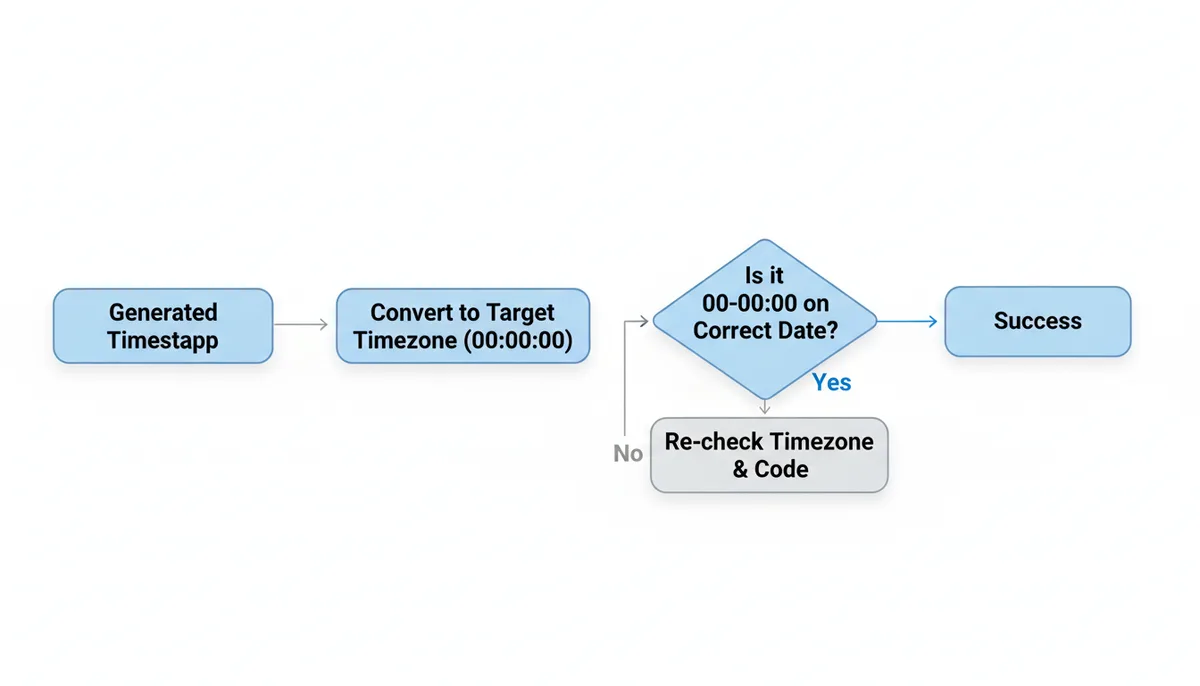
The verification mindset is key. A timestamp is correct if and only if it maps back to the exact local wall-clock time you intended, in the exact time zone you intended.
FAQs
Can a Unix timestamp be negative?
Yes. A negative Unix timestamp represents a date and time before the epoch (January 1, 1970, 00:00:00 UTC). This is a valid way to handle historical dates. For example, the timestamp for the Apollo 11 moon landing is negative.
What's the difference between a timestamp in seconds vs. milliseconds?
It's a matter of precision. A standard Unix timestamp is in seconds. Millisecond timestamps are 1000 times more precise and are common in web APIs and JavaScript (e.g., Date.now() returns milliseconds). Just be consistent: don't mix them without dividing or multiplying by 1000. Our examples used seconds, which is why we divided by 1000 in the JavaScript wrong-way example.
Should I store timestamps or ISO 8601 strings in my database?
Both work. Timestamps (as a 64-bit integer) are timezone-agnostic, compact, and fast for calculations and sorting. ISO 8601 strings (e.g., 2024-12-25T08:00:00Z) are human-readable and include timezone info but take up more space. Choose based on your needs. If you primarily need to compute durations or sort chronologically, use timestamps. If you need to preserve an exact wall-clock time with its original zone context for legal reasons, an ISO string might be better. Most modern databases handle both well.
What is the 'Year 2038 Problem'?
It's a bug that will affect older systems that store Unix time as a signed 32-bit integer. On January 19, 2038, this integer will overflow and wrap to a negative number. Most modern systems, languages, and databases (like PostgreSQL, MySQL with bigint) now use 64-bit integers for timestamps, which are not vulnerable to this problem for billions of years. If you're not working with legacy embedded systems, you probably don't need to worry.
Why do I see both UTC and GMT? Are they the same?
For most computing purposes, they are treated as interchangeable. UTC is the modern, precise time standard based on atomic clocks, while GMT is the name of a time zone that has a zero offset. The key difference is that GMT does not have a leap second concept. When working with code, you should always prefer the term and standard 'UTC'.
What if my target timezone doesn't use a whole-hour offset?
This is exactly why you must use IANA time zone names (e.g., 'Asia/Kathmandu' for UTC+05:45, 'Australia/Adelaide' for UTC+09:30 or +10:30). Proper time zone libraries handle fractional offsets automatically. Manual calculation with a decimal like 5.75 hours is error-prone and ignores DST changes that might also be fractional.
The Anatomy of a Time Zone Database: Why "America/New_York" Knows the Rules
You type "America/New_York" into your code and magically, the library knows about Daylight Saving Time shifts in 1987, 2007, and the future. It's not magic; it's a database. The IANA Time Zone Database (often called tzdata or zoneinfo) is a curated, public-domain set of files that is the bedrock of all correct timezone handling in computing. When you use a proper library, you're querying this database.
The database works by defining zones and rules. A zone, like "America/New_York," is a list of historical and future transitions. Each transition has a timestamp when it happens, an offset from UTC to use until the next transition, and a notation for the abbreviation (e.g., EST or EDT). The rules for when DST starts and ends are not hardcoded as "second Sunday in March." They are defined in a separate ruleset that can be referenced by many zones, allowing for regional law changes to be updated in one place.
Here's a simplified look at what the database might contain for a snippet of New York's history:
| From (UTC Timestamp) | To (UTC Timestamp) | UTC Offset | Abbreviation | Notes |
|---|---|---|---|---|
| Forever past | 1967-01-01 00:00:00 | -05:00 | EST | Pre-standardization |
| 1967-01-01 00:00:00 | 2007-01-01 00:00:00 | -05:00 / -04:00 | EST/EDT | Old DST rules (April-Oct) |
| 2007-01-01 00:00:00 | Present | -05:00 / -04:00 | EST/EDT | Current DST rules (Mar-Nov) |
This is why using a fixed offset fails. If you calculate a date for 2005-04-01 in New York with a fixed offset of -5, you'd be wrong; DST started in April then, so the offset was -4. The database knows that. It's also why abbreviations are unreliable: "EST" refers to the -5 offset, but it doesn't tell you which -5 offset period you're in historically. The database maintains the correct abbreviation for each period.
The database is maintained by a group of volunteers and is updated several times a year. Updates happen when a country or region changes its DST law, as Mexico did in 2022, or when historical research uncovers more precise data about past timekeeping. Your operating system and language libraries periodically pull these updates. This is the critical reason to rely on the system: you are outsourcing the maintenance of complex, changing geopolitical rules. Your code stays the same; the data it queries gets smarter.
Working With Legacy Systems: When You Can't Use IANA Names
You inherit an old database where timestamps are stored alongside a varchar field like "EST" or a numeric field like "-5". The application logic does manual offset math. You know it's wrong, but you can't change the schema or the millions of existing records overnight. What do you do?
First, understand what you have. If it's a timestamp and a fixed offset (e.g., -5), you have a recorded fact: "This event happened at this UTC moment, and the user's wall clock read this offset at that time." It's like a photograph. You can reconstruct the local time accurately for that single event. But you cannot use that offset to calculate other dates, like "what was midnight for that user on that day?" because the offset may have been different at midnight.
Your migration path has two phases: preservation and correction.
- Preservation (Read Path): When displaying old data, use the stored offset to convert the UTC timestamp back to the original local time. Do this by creating a UTC datetime from the timestamp, then manually applying the offset for display only. The key is to treat the offset as a piece of historical data, not a living timezone.
- Correction (Write Path & New Features): For all new functionality, implement proper timezone handling with IANA names. This means adding a new user profile field for their IANA timezone (e.g., `user_timezone`). For existing users, you'll need to backfill this. You can attempt to map their old, stored offset abbreviation to a likely IANA zone (e.g., "EST" -> "America/New_York"), but you must present this as a guess to the user for confirmation. A user with "EST" could be in America/New_York, America/Toronto, or Australia/Brisbane.
Here’s a real example. An old record: `timestamp=1735113600, offset='-5'`. You display it by computing `1735113600 - (5*3600)` and showing that local time. But to calculate "midnight for that user on that date," you must know their IANA zone. If you've guessed "America/New_York," you use the 3-step process with that zone. The result will be a different, more accurate timestamp (likely 1735092000 for our LA example, which is 8 hours difference, not 5). The old system was storing the wrong moment entirely. This discrepancy is why the migration is painful but necessary.
The trade-off is effort versus accuracy. You can keep the legacy display logic forever, but any new date-based feature will be built on a broken foundation. The sooner you add that `user_timezone` column and start collecting real zone data, the sooner you stop digging the hole deeper.
The Edge Cases: Midnight That Doesn't Exist, and Midnight That Happens Twice
Most of the time, converting midnight is straightforward. But timezone rules create two bizarre edge cases: the invalid time and the ambiguous time. While they don't always hit exactly at 00:00:00, they can occur in the early morning hours, and your code must be prepared.
An invalid time occurs during the "spring forward" transition. When DST starts, clocks jump forward, say from 01:59:59 to 03:00:00. The entire hour from 02:00:00 to 02:59:59 does not exist. If a user or a system somehow requests 02:30:00 on that date in that zone, it's nonsensical. Library behavior varies: Python's zoneinfo will raise a datetime.AmbiguousTimeError only for ambiguous times, not invalid ones; for invalid times, it may silently normalize to a valid time (e.g., 03:30). PHP's DateTime will normalize. You need to know your library's specific behavior. For midnight conversions, you're generally safe, but if you're building a scheduler that lets users pick any local time, you must handle this case, typically by validating the input time against the zone rules.
An ambiguous time occurs during the "fall back" transition. When DST ends, clocks jump back from 01:59:59 to 01:00:00. The hour from 01:00:00 to 01:59:59 happens twice—once in DST (EDT) and once in standard time (EST). If you have a timestamp representing 01:30:00 on that day, you cannot know which iteration it refers to without additional context. This is a data destruction problem. If you store only the local time "2024-11-03 01:30:00" without marking the offset, you've lost information.
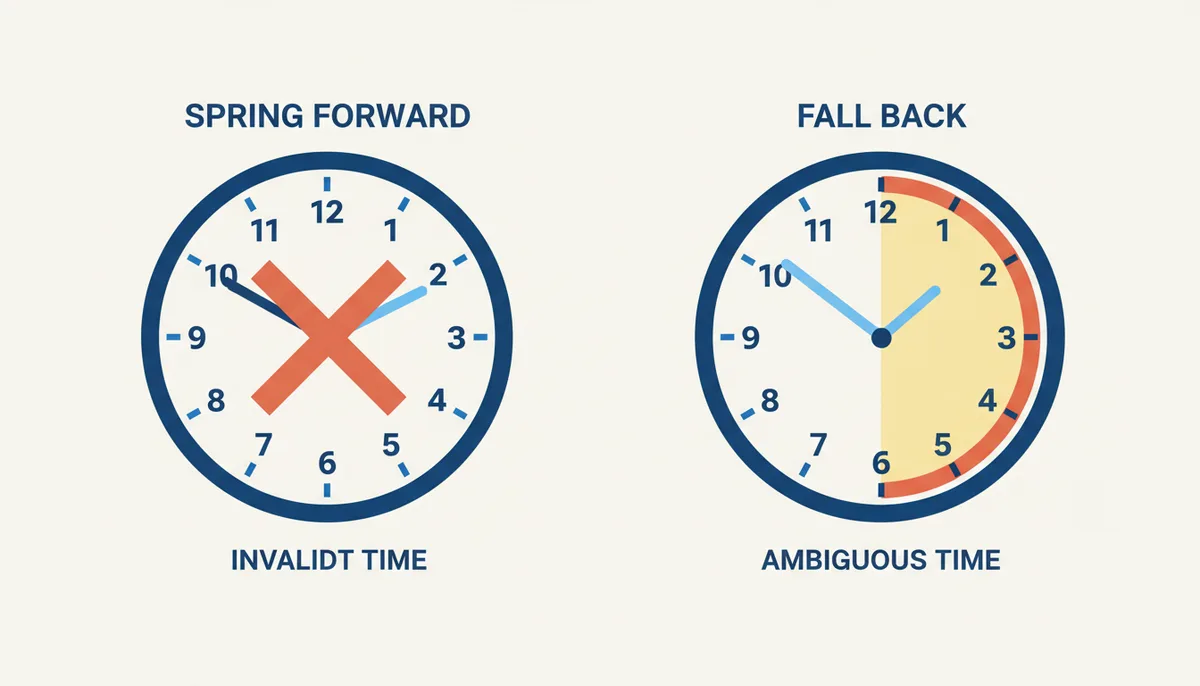
How does this affect your midnight timestamp? When you construct a timezone-aware object for a wall-clock time, the library uses a disambiguation rule. Python's zoneinfo uses the fold attribute (0 for first occurrence, 1 for second). PHP's DateTime constructor defaults to the first occurrence (the DST version) unless you use DateTimeZone::getTransitions() to be explicit. For a date where midnight itself is ambiguous (rare, but possible in some zones), you must consult your library's documentation to control which occurrence you get. The crucial takeaway is that you cannot ignore these cases if your application serves users globally; you must know how your chosen library behaves and design your data model to preserve offset information for ambiguous times.
Sources
- IANA Time Zone Database — The claim that IANA timezone names (e.g., 'America/New_York') are the standard and most reliable way to specify a time zone, as they account for DST and historical changes.
- ECMA-262 (ECMAScript Language Specification) — The definitions for how JavaScript's `Date` object and the `Intl` API work, which is foundational to client-side time zone detection and conversion.
- Python.org Official Documentation — The correct usage of Python's `datetime` module, including the distinction between 'naive' and 'aware' objects and the modern use of `zoneinfo` for handling time zones.
- PHP.net Official Documentation — The correct usage of PHP's `DateTime` and `DateTimeZone` classes for creating timezone-aware date objects and performing accurate conversions.
- The Open Group (POSIX.1-2017) — The formal definition of 'Seconds Since the Epoch' (Unix time) as being counted from 1970-01-01 00:00:00 UTC.