
Why Your Unix Timestamp Converts to 1970 (or a Date 56,000 Years in the Future)
For engineers debugging epoch mismatches: find why timestamps show 1970 or far-future dates, quick tests to identify seconds vs milliseconds, and practical fixe
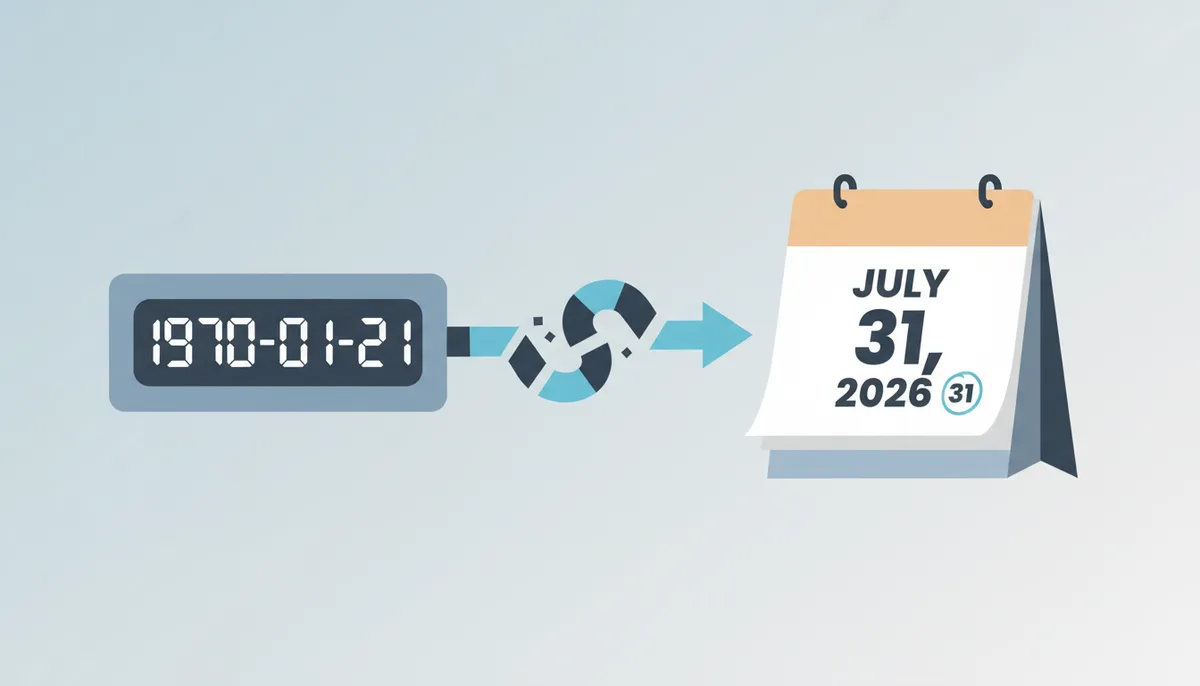
Why Is My Timestamp Showing 1970 or a Date Thousands of Years Away?
You have a number — say, 1785475392 — and you know roughly what it should mean: a date in mid-2026. You feed it into new Date() in your browser console and get back January 21, 1970. Or the mirror image: you pass a value from your API into Python's datetime.fromtimestamp() and it throws a ValueError complaining that the year is out of range, because the "date" you handed it lands tens of thousands of years from now.
Here is the good news: your timestamp is almost certainly fine. The number itself is not corrupt, your clock is not broken, and the data does not need to be regenerated. What is broken is the interpretation. A Unix timestamp is a count of time units elapsed since midnight UTC on January 1, 1970 — the Unix epoch. The catch is that different systems count in different units. C, Python, PHP, and Go traditionally count seconds. Java and JavaScript count milliseconds. Databases and kernel code often move in microseconds or nanoseconds. Each unit differs from the next by a factor of 1,000, so when a value in one unit is read as another, the result is off by a thousand in one direction or the other — and a thousand-fold error in a date lands you either in the first weeks of 1970 or past the year 50,000.
This is one of the most common bugs in software that moves data between systems, because the mismatch is invisible at the type level. A timestamp is just a number. Nothing about the integer 1785475392000 announces "I am milliseconds." A JavaScript frontend expects milliseconds, a Python backend emits seconds, and neither side complains — the conversion just silently produces garbage. If you are debugging this right now, you are in well-populated company, and the fix usually takes about two minutes once you know which unit you are holding.
Two related but different bugs are worth ruling out before you continue. If your converted date is exactly January 1, 1970, 00:00:00, that is usually not a unit mismatch — it means the value being converted is zero, null, or an empty string coerced to zero. That is a missing-data bug, not a precision bug. And if your wrong dates cluster around the year 1601, you are probably holding a Windows-era timestamp (LDAP or WebKit format), which counts from January 1, 1601 in 100-nanosecond ticks — a different epoch entirely. UnixConverter has dedicated LDAP and WebKit converters for exactly that situation. For everything else, read on.
How to Identify Your Timestamp's Precision by Sight
The fastest diagnostic tool you have is digit counting. For any date in the modern era — anything between September 2001 and the year 2286 — the number of digits tells you the unit with near-perfect reliability:
- 10 digits → seconds (the classic Unix format)
- 13 digits → milliseconds
- 16 digits → microseconds
- 19 digits → nanoseconds
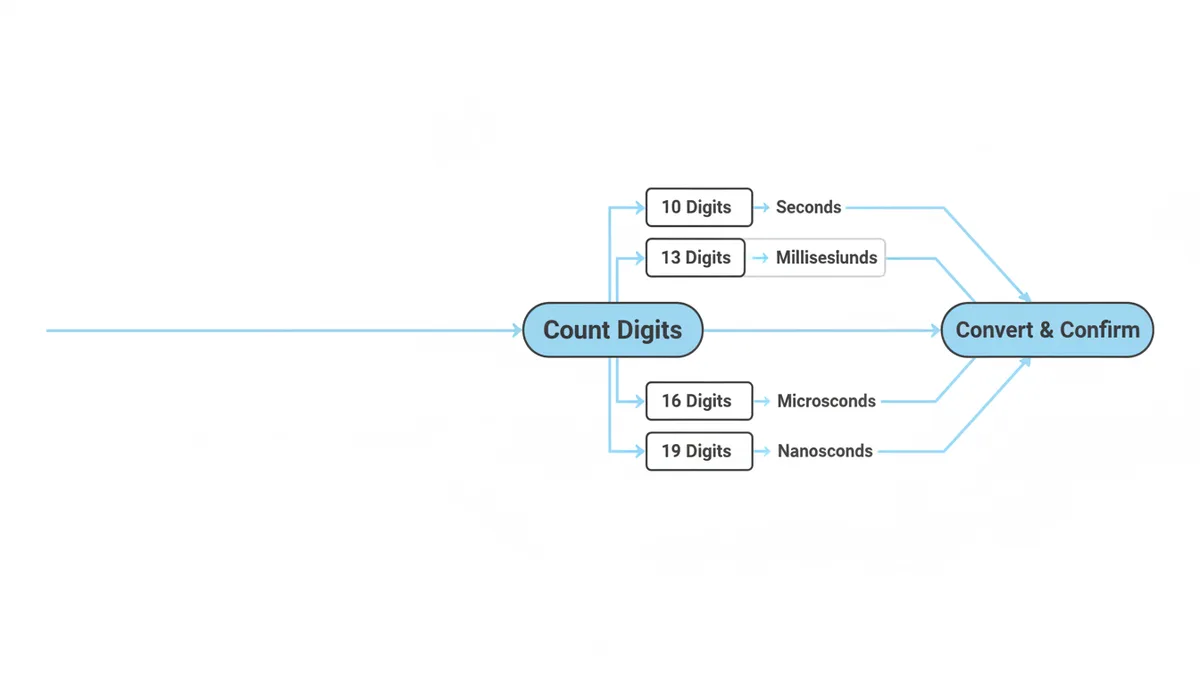
Here is what the same instant — July 31, 2026 — looks like in all four precisions:
| Unit | Typical digits (2001–2286) | Example value (July 31, 2026) | Next digit increase |
|---|---|---|---|
| Seconds | 10 | 1,785,475,392 | November 2286 (11 digits) |
| Milliseconds | 13 | 1,785,475,392,000 | November 2286 (14 digits) |
| Microseconds | 16 | 1,785,475,392,000,000 | November 2286 (17 digits) |
| Nanoseconds | 19 | 1,785,475,392,000,000,000 | November 2286 (20 digits) |
Notice something tidy in that last column: every unit gains its next digit at the same moment. That is not a coincidence. Milliseconds are seconds times 1,000, microseconds are milliseconds times 1,000, so when the seconds count crosses 10,000,000,000 in November 2286, the millisecond count crosses 10,000,000,000,000 at the same instant. The previous rollover worked the same way: on September 9, 2001, at 01:46:40 UTC, seconds went from 9 digits to 10, milliseconds from 12 to 13, and so on, all at once.
That symmetry also defines the edge cases. A timestamp for a date before September 2001 has fewer digits than the table suggests: 9-digit seconds cover March 1973 through September 2001, and dates before March 1973 have 8 digits or fewer. Dates before 1970 produce negative timestamps, where you count the digits of the absolute value. So the digit heuristic is really a statement about dates, not numbers — but for anything generated by a system running today, it holds.
Once you have a digit count, verify it. The quickest check is to paste the value into the converter at unixconverter.com, which accepts seconds, milliseconds, microseconds, and nanoseconds, and see whether the resulting date is plausible. If you want to do it in your head, there is a rough trick for seconds: divide by 86,400 (the number of seconds in a day). A current seconds timestamp gives you about 20,700 days — roughly 57 years since 1970, which is obviously right. A milliseconds value divided the same way gives you about 20.7 million days, which is obviously wrong. That smell test takes five seconds and catches the mismatch before you touch any code.
The "1970" Error: When Seconds Are Mistaken for Milliseconds
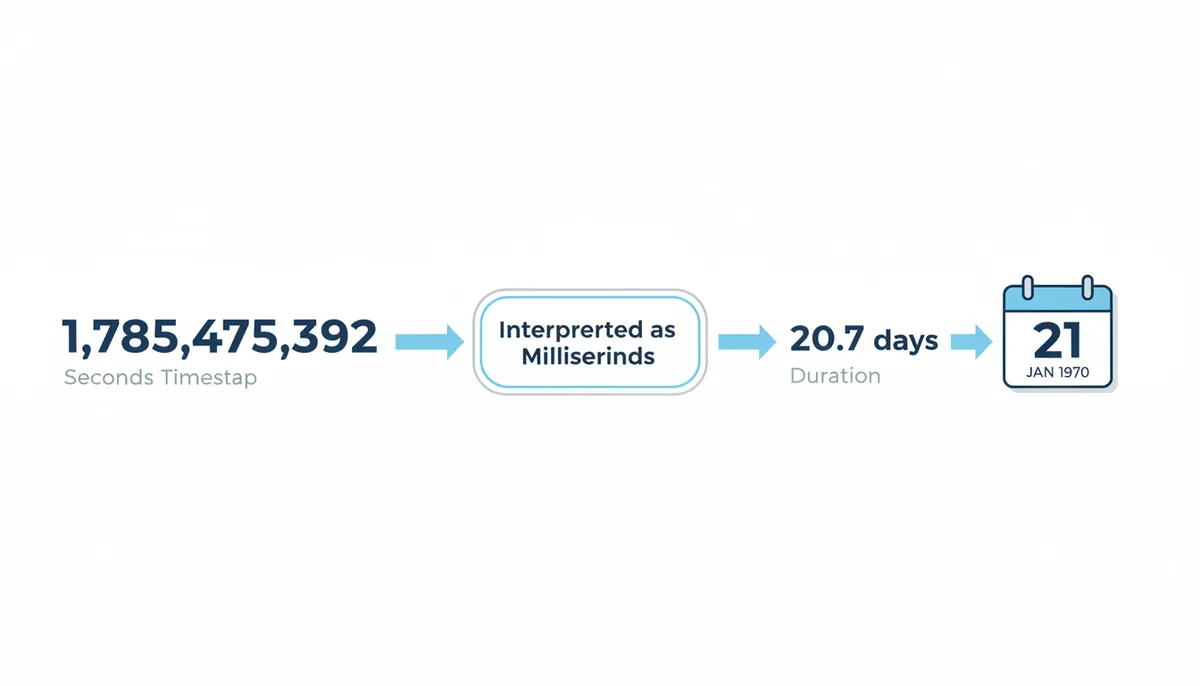
Take the seconds timestamp 1,785,475,392, which correctly converts to July 31, 2026. Now hand it to a function that expects milliseconds. That function treats your number as a count of thousandths of a second, which means it effectively divides your intended duration by 1,000. Walk through it:
- Your value, read as milliseconds: 1,785,475,392 ms
- Converted to actual seconds: 1,785,475,392 ÷ 1,000 = 1,785,475.392 seconds
- Converted to days: 1,785,475.392 ÷ 86,400 ≈ 20.7 days
- Twenty days after January 1, 1970 is January 21, 1970 — down to the second, 1970-01-21T15:57:55.392Z.
That is the whole mechanism. Your data represented 56 years; the function understood 20 days. Every seconds-based timestamp ever produced lands somewhere in the first few weeks of 1970 when it is misread this way, because the current seconds count — about 1.8 billion — is only about 20 days' worth of milliseconds.
Case Study: How a Node-to-Python Pipeline Backdated Ten Thousand Users to 1970
Consider a typical full-stack pipeline joining a Python backend to a Node.js consumer. The Python service tracks user sessions and emits a JSON payload containing a field called lastActivityAt, populated by time.time(). That function returns seconds since the epoch — for example, 1785475392. A Node.js analytics dashboard receives this payload and attempts to render the timestamp with JavaScript's new Date() constructor.
new Date() in JavaScript expects milliseconds. The payload carried seconds. So the consumer took a value meant to represent July 2026 and treated it as 1.78 billion milliseconds — which is only about twenty days after January 1, 1970. Every record processed by the consumer showed a date in late January 1970 instead of mid-2026.
Walk through the raw value: 1785475392. Feeding it directly into new Date(1785475392) produces a Date object for January 21, 1970, at 15:57:55 UTC. The corrected conversion is to multiply by 1,000 first: new Date(1785475392 * 1000), which yields July 31, 2026, at 05:23:12 UTC. The difference is exactly three orders of magnitude, and the fix is a single arithmetic operation.
The underlying failure was the assumption that a field named lastActivityAt carried a specific unit without any schema enforcing it. JSON does not annotate its numbers. The Python producer knew it was emitting seconds. The JavaScript consumer assumed milliseconds. Both sides were correct in isolation and wrong together. If the producer had named the field lastActivityAtSec, or if the consumer had inspected digit count before conversion — ten digits strongly signals seconds in the current era — the pipeline would never have emitted a single backdated row.
Five Tests to Diagnose Any Timestamp Mismatch in Thirty Seconds
When you are staring at a wrong date, guessing is slower than testing. Run these five checks in order. Together they will tell you whether your value is seconds, milliseconds, or something else entirely, and they will point to the exact line where the interpretation fails.
Test 1: Count the digits and bracket the date. Write down your raw number. If it has 10 digits, it is almost certainly seconds. Thirteen digits means milliseconds. Sixteen is microseconds; nineteen is nanoseconds. If your number has 9 digits, the date falls between 1973 and 2001. If it has 11 digits in seconds, you are looking at a date after 2286. These are rare, but they happen when you process historical archives or science-fiction schedules. Write the digit count down before you do anything else.
Test 2: Divide or multiply by 1,000 and check plausibility. Take your value and compute three candidates: the raw number as seconds, the raw number as milliseconds, and the raw number divided by 1,000 as seconds. Compare these to the current Unix timestamp in seconds — roughly 1.78 billion as of 2026. If your raw value is close to 1.78 billion, it is seconds. If your raw value is close to 1.78 trillion, it is milliseconds. If dividing your raw value by 1,000 lands you near 1.78 billion, then you have milliseconds that are being read as seconds. This one calculation resolves the majority of mismatches.
Test 3: Inspect the raw wire format, not the formatted output. Browser consoles truncate large integers. JSON pretty-printers sometimes round them. Excel turns them into scientific notation. Before you trust the value you see, look at the raw payload. In a browser, use the Network tab response view, not console.log(). In Python, print the repr() of the variable, not its string conversion. If you are reading from a CSV, open it in a plain text editor; Excel may have already destroyed the last digits by the time you see the cell.
Test 4: Check the default precision of the source and the sink. Write down what language or system produced the timestamp, and what language or system is consuming it. JavaScript's Date.now() and Java's System.currentTimeMillis() emit milliseconds. Python's time.time() emits seconds, though it returns a float with fractional seconds. PHP's time() is seconds; its microtime(true) is seconds with a decimal fraction. Go's time.Now().Unix() is seconds, while UnixNano() is nanoseconds. If the producer and consumer are from different ecosystems, a mismatch is the default hypothesis, not a remote possibility.
Test 5: Cross-reference against a known event. If you know the timestamp should represent "yesterday afternoon" or "the moment the user clicked submit," convert both the expected wall-clock time and your suspect value to the same unit and compare. A difference of exactly three orders of magnitude — your value is 1,000 times too large or too small — confirms a seconds-versus-milliseconds swap. A difference of a million suggests seconds versus microseconds. This final check prevents you from chasing timezone bugs when the real issue is unit confusion.
| Symptom | Most likely cause | Immediate action |
|---|---|---|
| Date in early 1970 (January) | Seconds passed to an API that expects milliseconds | Multiply raw value by 1,000, or use an API that accepts seconds |
| Date in year 50,000+ or out of range | Milliseconds passed to an API that expects seconds | Divide raw value by 1,000, or use an API that accepts milliseconds |
| Date exactly at epoch (1970-01-01 00:00:00) | Null, zero, or empty value | Check upstream data source for missing field |
| Date off by exactly 1,000× but plausible era | Microseconds or nanoseconds mismatched with milliseconds/seconds | Divide by 1,000 or 1,000,000 to reach the target unit |
| Date plausible but seconds truncated | Floating-point cast to integer | Check for implicit float-to-int conversion in C, Java, or Go |
| Language / API | Expected unit | If you have seconds | If you have milliseconds |
|---|---|---|---|
| JavaScript new Date(v) | Milliseconds | new Date(v * 1000) | new Date(v) (pass through) |
| Python datetime.fromtimestamp(v) | Seconds | datetime.fromtimestamp(v) (pass through) | datetime.fromtimestamp(v / 1000) |
| Java new Date(v) | Milliseconds | new Date(v * 1000) | new Date(v) (pass through) |
| PHP date('Y-m-d H:i:s', v) | Seconds | date('Y-m-d H:i:s', v) (pass through) | date('Y-m-d H:i:s', v / 1000) |
| Go time.Unix(sec, nsec) | Seconds + Nanoseconds | time.Unix(v, 0) | time.Unix(v/1000, (v%1000)*1e6) |
| PostgreSQL to_timestamp(v) | Seconds | to_timestamp(v) (pass through) | to_timestamp(v / 1000.0) |
If you run these five tests and still have no answer, you are likely dealing with a non-Unix epoch — perhaps an LDAP timestamp counting from 1601 or a WebKit timestamp. In that case, move the value to a specialized converter and verify the epoch boundary separately.
When Data Leaves Your Code: How Spreadsheets Corrupt Timestamp Precision
You fixed the bug in your application. Your backend now emits clean, 13-digit millisecond timestamps. You export a user activity report to CSV and email it to the operations team. They open it in Excel, sort by date, and reply that every timestamp ends in three zeros. Or worse, they copy a cell, paste it into a configuration file, and suddenly your staging environment is reading values that do not match production at all. The corruption has returned, but this time it was introduced by the spreadsheet, not by a programmer.
Excel stores numeric cells as IEEE 754 double-precision floating-point values, which can exactly represent every integer up to 9,007,199,254,740,991. A 13-digit millisecond timestamp for 2026 is well inside that limit, so the underlying stored value is exact. The danger is not numeric storage; it is display formatting and manual copying. When Excel renders a large number in scientific notation as 1.78548E+12, a human copying the displayed text captures only the rounded significand. Even in normal numeric display, if a user copies what they see rather than the cell's underlying value, the last digits can be lost or altered during paste. For timestamps, the last three digits are the milliseconds. Losing them snaps every event to the nearest second.
The real damage happens on re-import. An analyst takes the Excel file, saves it as CSV, and feeds it back into a Python script. The script parses the column as integers. Because the analyst copied the displayed text or because the CSV export preserved only the displayed precision, the script receives 1785475392000 instead of 1785475392123. The delta is 123 milliseconds — small enough to ignore in a report, but catastrophic if the timestamp is used for ordering or deduplication. Two events that actually happened 123 milliseconds apart now share the exact same timestamp. If your database has a uniqueness constraint on that field, the second event is rejected as a duplicate.
If the truncated value is later pasted into a configuration file — for instance, a cron schedule or a cache warm-up script — the system may behave as though the event happened at a slightly different time. In the worst case, an analyst who notices the long 13-digit number may manually truncate it to ten digits for neatness before sending it to the API, believing the milliseconds are unnecessary. The API, expecting milliseconds, now receives what is effectively a seconds value. It treats those seconds as milliseconds, and the 1970 bug reappears in a new system entirely disconnected from the original code.
The defense is to convert timestamps to human-readable strings before they ever touch a spreadsheet. ISO 8601 format — 2026-07-31T05:23:12.123Z — survives Excel, Google Sheets, and CSV round-trips without precision loss because it is treated as text, not a number. If you must ship raw integers, use the batch converter at unixconverter.com to generate the string representations first, then export. Never let a 13-digit integer pass through a spreadsheet workflow untouched.
This same corruption appears in JSON logs that get piped into analytics platforms. JavaScript's number type can only represent integers safely up to 9,007,199,254,740,991. A nanosecond timestamp in 2026 is a 19-digit value, which exceeds that limit. Even though the JSON specification places no limit on numeric digits, JSON.parse in JavaScript will round the last few digits of a 19-digit integer because it stores all numbers as double-precision floats. If your pipeline transmits nanosecond timestamps as JSON numbers, the receiving JavaScript service sees a jittered value. The fix is to transmit high-precision timestamps as strings in JSON, not numbers. The bytes cost is negligible; the correctness win is absolute.
The Security Cost of a Missing Zero: Tokens, Caches, and Rate Limits
A timestamp unit mismatch is not always a display bug. Sometimes it is a security vulnerability. The difference between seconds and milliseconds is a factor of one thousand, and in systems that make go or no-go decisions based on time, a factor of one thousand can mean the difference between a session that expires in one hour and a session that expires in six weeks.
Consider a JSON Web Token generated by a Node.js service. The payload sets an expiration claim, exp, using Date.now(). The standard RFC 7519 specifies that exp must be a NumericDate: seconds since the epoch. But Date.now() returns milliseconds. If the signing code passes the millisecond value directly into exp, the token claims to expire at a date roughly 56,000 years in the future. A correctly implemented verification library will reject it immediately as out of range. But a permissive library — or one that stores the value without validation — may accept it. The result is a token that never expires. A user with a leaked token retains access for longer than the civilization that built the server. The cost of revocation is a full key rotation, which forces every legitimate user to re-authenticate.
The reverse mistake is just as bad. If a token issuer correctly provides seconds, but a custom verification middleware written in JavaScript compares exp against Date.now() without dividing by 1,000, then every token appears to have expired in 1970. The middleware rejects all traffic. Depending on how the failure is handled, this can trigger a fallback to an insecure mode — for example, bypassing authentication entirely because the auth service is "down" — or it can create a self-inflicted denial of service.
Redis key expiration suffers from the same arithmetic with deadlier subtlety. Redis EXPIRE accepts a TTL in seconds. Redis PEXPIRE accepts a TTL in milliseconds. If your application computes a TTL by subtracting a target millisecond timestamp from Date.now(), then passes the result to EXPIRE, the key will persist for a thousand times longer than intended. A cache meant to live for one hour will survive for six weeks. Sensitive data that should have vanished from memory sticks around in Redis, potentially written to disk during an AOF rewrite. If you pass the same value to PEXPIRE but the value is actually in seconds, the key vanishes in one second instead of one hour, destroying your cache hit rate and hammering the database.
Rate-limiting algorithms are exquisitely sensitive to unit confusion. A sliding-window counter that expects milliseconds per bucket but receives seconds will allow a thousand times more requests than the policy states. An API key meant to be restricted to one thousand requests per hour will instead allow one thousand requests per 3.6 seconds. The error is rarely caught in testing because functional tests do not typically run long enough to observe the leaky bucket behavior. Only production traffic reveals it, usually in the form of a surprise bill or a compliance report showing impossible request volumes.
The common thread is that these systems treat timestamps as control inputs, not display data. When the unit is wrong, the control signal is wrong, and the failure mode is not a cosmetic misalignment but a breach of policy. The fix is never to pass raw epoch numbers into time-based security functions. Always convert to the unit the underlying system expects, explicitly, with a named constant or conversion function, and add an assertion that the resulting interval falls within a sane bound — say, between one minute and ten years. If your computed TTL is 56,000 years, crash the request rather than write it.
Seconds or Milliseconds: The Trade-Off Hiding in Your JSON
Most engineering teams do not choose their timestamp precision deliberately. They inherit it from the first framework they adopted. A team that started with Python backend code likely thinks in seconds. A team that started with React and Node thinks in milliseconds. Neither is universally correct, and treating one as the default for all contexts wastes bandwidth, storage, and cognitive effort. Here is how to decide, honestly, which unit to use.
Use seconds when your domain events occur at human scale. User registration dates, invoice creation times, blog post publication dates, and file modification times do not need sub-second resolution. A second-level timestamp is unambiguous, compact, and easy to validate with a quick eyeball check. In JSON, it saves three bytes per field compared to milliseconds. Over a million-record export, that is three megabytes of payload — not nothing on slow connections. Seconds also align with Unix tradition, meaning most system utilities (stat, touch, cron logs) speak the same unit without conversion. In a user interface, second-level timestamps are easier to validate mentally. When a log entry shows 1785475392, an engineer can quickly estimate it is roughly 1.78 billion seconds since 1970, or about 56 years, placing it in 2026. A 13-digit millisecond value offers no such shortcut; the magnitude is too large for intuitive division.
Use milliseconds only when ordering events within a single second matters to correctness. Distributed tracing spans, frontend animation timestamps, high-frequency trading ledgers, and gaming server tick logs genuinely need millisecond or finer granularity. In these contexts, seconds are too blunt; two events that share the same second-level timestamp appear simultaneous when they are not, which breaks causal ordering. If your system ever sorts by timestamp to reconstruct a sequence, and that sequence can change faster than once per second, milliseconds are the minimum viable precision.
Sources
- The Open Group (POSIX standard) — The official definition of 'Seconds Since the Epoch' (Unix time) as the basis for the seconds-based unit of measurement.
- ECMA-262 (ECMAScript/JavaScript Specification) — The definition of time values in JavaScript as milliseconds since the epoch, which is the root cause of the common `new Date(seconds)` error.
- Python Official Documentation — The behavior of `time.time()` returning seconds as a float and `datetime.fromtimestamp()` expecting seconds, explaining the common millisecond-input error.
- Java Platform, SE Documentation — The definition of `System.currentTimeMillis()` and the `java.time` package's behavior, establishing Java's standard use of millisecond precision.
- IETF RFC 3339 — The specification for a specific profile of ISO 8601, backing the recommendation to use this format for unambiguous data exchange in APIs.
- PostgreSQL Documentation — An example of a major database system that supports high-precision timestamps (microseconds), relevant to the section on higher precision units.