How to Check Batch Timestamp Conversion Results Without Losing Row Context
For analysts and engineers: keep row context when batch converting timestamps and learn methods to map converted timestamps back to original data.
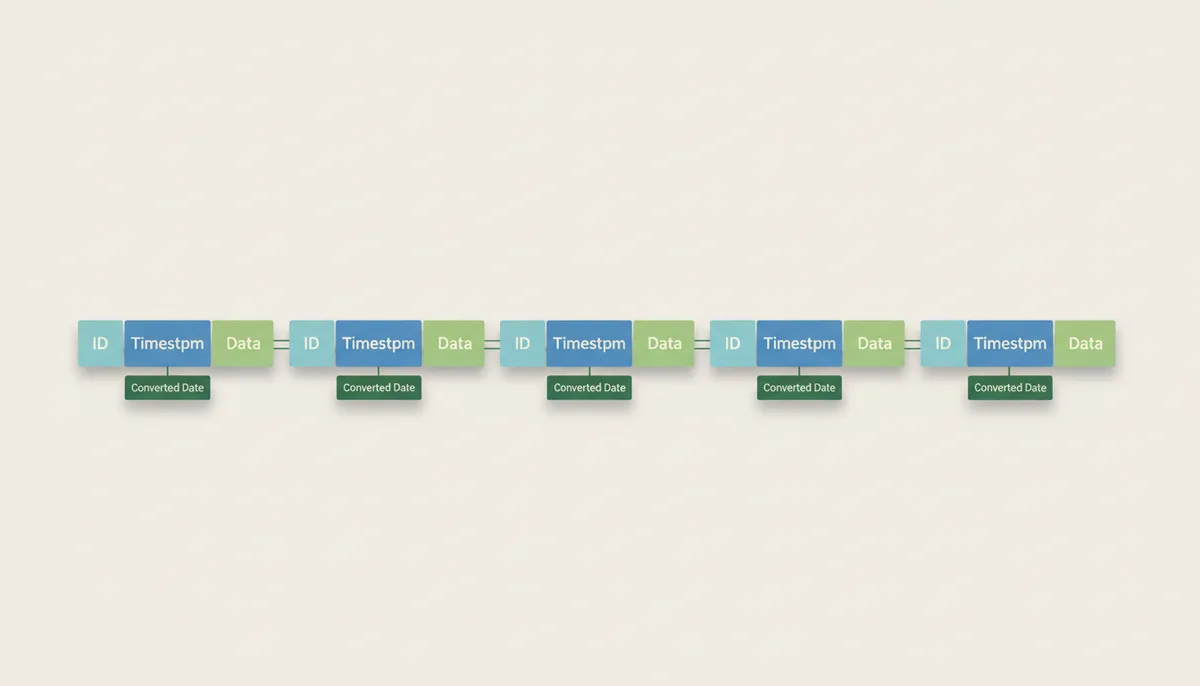
You’ve copied a column of Unix timestamps into a spreadsheet, pasted them into a web tool, and now you’re staring at a list of dates with no way to match them back to the original rows. This is the most common mistake when converting timestamps in bulk, and it’s easy to fix if you follow one rule: never separate the timestamp from its row context.
Why Does Row Context Break During Batch Conversion?
Most people convert timestamps like this:
- Copy a column of timestamps from a spreadsheet or CSV.
- Paste them into a web tool like UnixConverter.com.
- Convert them to dates.
- Copy the results and paste them back into the original spreadsheet.
This works fine for small datasets, but it breaks down when:
- You sort or filter the data before pasting back.
- The conversion tool skips or misinterprets some rows.
- You have to repeat the process on a new dataset.
The problem is that the conversion becomes a separate step, not an integral part of the data. The only way to fix this is to keep the original data and the converted data in the same table.
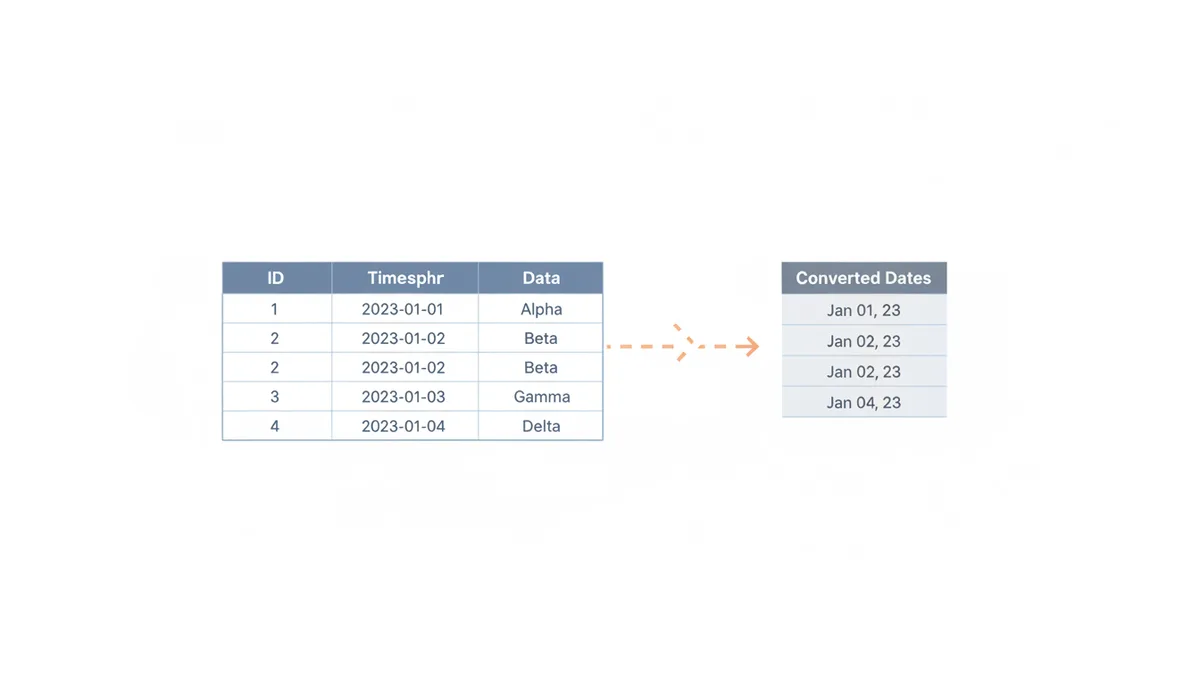
The Golden Rule: Preserve Context with a Unique Row ID
Before converting timestamps, create a permanent row identifier that won't change during processing. Here's how to do it safely:
- Choose or create an immutable ID:
- If your data has a natural key (customer ID, transaction ID), use that column as your ID.
- If no key exists, create a new column called
original_row_idwith sequential numbers.
- Create sequential IDs only if necessary:
# In Python:
df['original_row_id'] = range(1, len(df)+1)
# In Excel/Sheets: 1. Insert a new column 2. Enter "1" in the first cell 3. Enter "=A1+1" in the second cell 4. Drag the fill handle down - Paste values to preserve IDs:
- After creating IDs, select the column and choose "Paste Special" → "Values" to convert formulas to static numbers.
- Never copy/paste formulas between sheets or files - this breaks the ID system.
- Keep all three columns together:
- Original ID + Original timestamp + Converted timestamp in the same table.
- Never separate these columns during processing.
- Verify before and after:
- Check row count matches before and after conversion.
- Verify all IDs are unique (no duplicates).
- Spot-check that IDs align with original data.
This workflow ensures your converted timestamps remain properly linked to their original rows throughout the entire conversion process.
Method 1: In-Place Conversion with Spreadsheet Formulas
For small datasets (under 100,000 rows), use spreadsheet formulas to convert timestamps directly in your data.
In Excel (for Unix timestamps in seconds):
=DATE(1970, 1, 1) + (A2 / 86400)In Google Sheets (for Unix timestamps in seconds):
=DATE(1970, 1, 1) + (A2 / 86400)For milliseconds, divide by 1000 first:
=DATE(1970, 1, 1) + (A2 / (86400 * 1000))For time zone conversion:
=DATE(1970, 1, 1) + (A2 / 86400) - (TIME(5, 0, 0)) # Subtracts 5 hours to convert UTC to ESTImportant notes about time zones:
- This example shows UTC to EST conversion by subtracting 5 hours.
- Fixed offsets like this don't account for daylight saving time.
- For accurate time zone handling, use:
- Pandas with
tz_localize()andtz_convert() - SQL functions like
AT TIME ZONEin PostgreSQL - Timezone-aware tools like UnixConverter.com
- Pandas with
This keeps the converted dates in the same table as the original timestamps while maintaining row context.
Method 2: Scripting with Python and Pandas for Large Datasets
For large datasets or repeatable workflows, use Python with Pandas:
import pandas as pd

# Read the CSV
df = pd.read_csv('timestamps.csv')

# Convert the timestamp column (assuming it's in seconds)
df['converted_date'] = pd.to_datetime(df['timestamp_column'], unit='s')

# Save the result
df.to_csv('converted_timestamps.csv', index=False)
For milliseconds:
df['converted_date'] = pd.to_datetime(df['timestamp_column'], unit='ms')To handle time zones:
df['converted_date'] = pd.to_datetime(df['timestamp_column'], unit='s').dt.tz_localize('UTC').dt.tz_convert('America/New_York')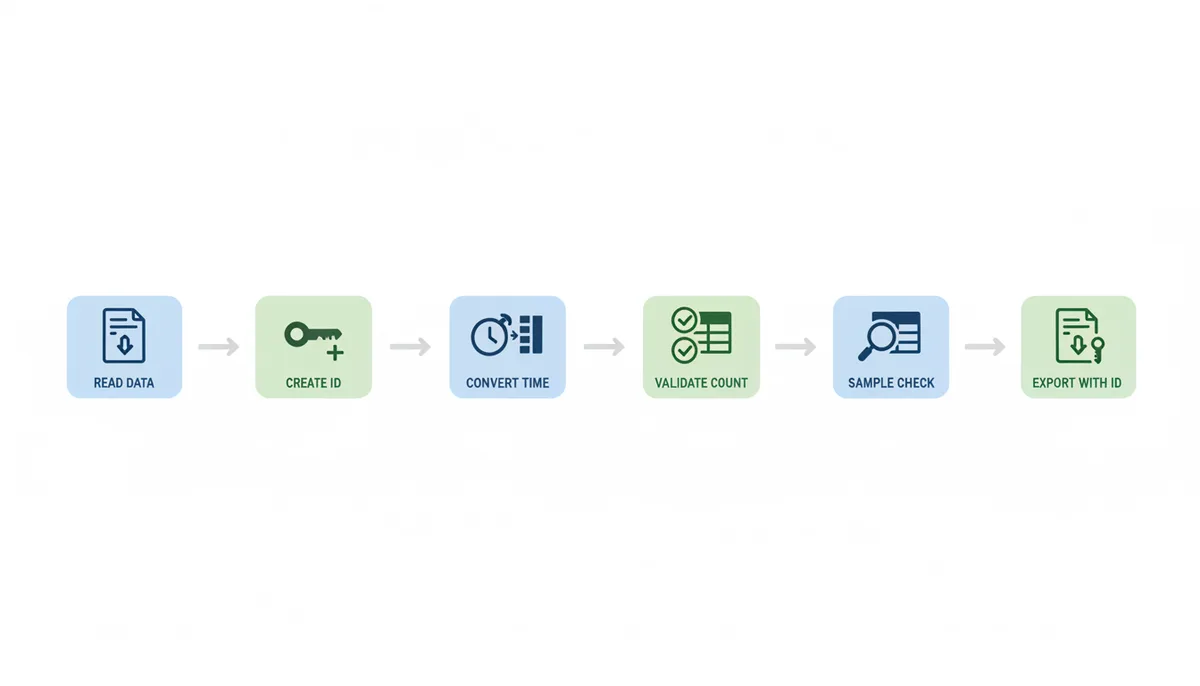
Method 3: Leveraging SQL for In-Database Conversions
If your data is in a database, convert it directly with SQL:
PostgreSQL:
ALTER TABLE your_table ADD COLUMN converted_date TIMESTAMP;
UPDATE your_table SET converted_date = to_timestamp(timestamp_column);
MySQL:
ALTER TABLE your_table ADD COLUMN converted_date DATETIME;
UPDATE your_table SET converted_date = FROM_UNIXTIME(timestamp_column);
For on-the-fly conversion in a query:
SELECT id, timestamp_column, FROM_UNIXTIME(timestamp_column) AS converted_date FROM your_table;How to Systematically Validate Your Conversion Results
Always validate your conversions with these steps:
| Check | Method | What It Catches |
|---|---|---|
| Spot Check | Manually verify first, last, and random rows | Incorrect formula logic, timezone errors |
| Range Check | Calculate min/max dates | Out-of-bounds data, unit errors |
| Null/Error Count | Count NULLs or errors in new column | Corrupt source data |
| Reverse Conversion | Convert back to timestamp and compare | Systemic logic flaws |
Troubleshooting Common Batch Conversion Errors
| Symptom | Likely Cause | Solution |
|---|---|---|
| Dates are in the 1970s | Milliseconds treated as seconds | Divide by 1000 before conversion |
| Dates are off by a few hours | Time zone mismatch | Explicitly set source/destination time zone |
| Conversion produces #VALUE! or NaN | Non-numeric data in source column | Use IFERROR or a try-except block |
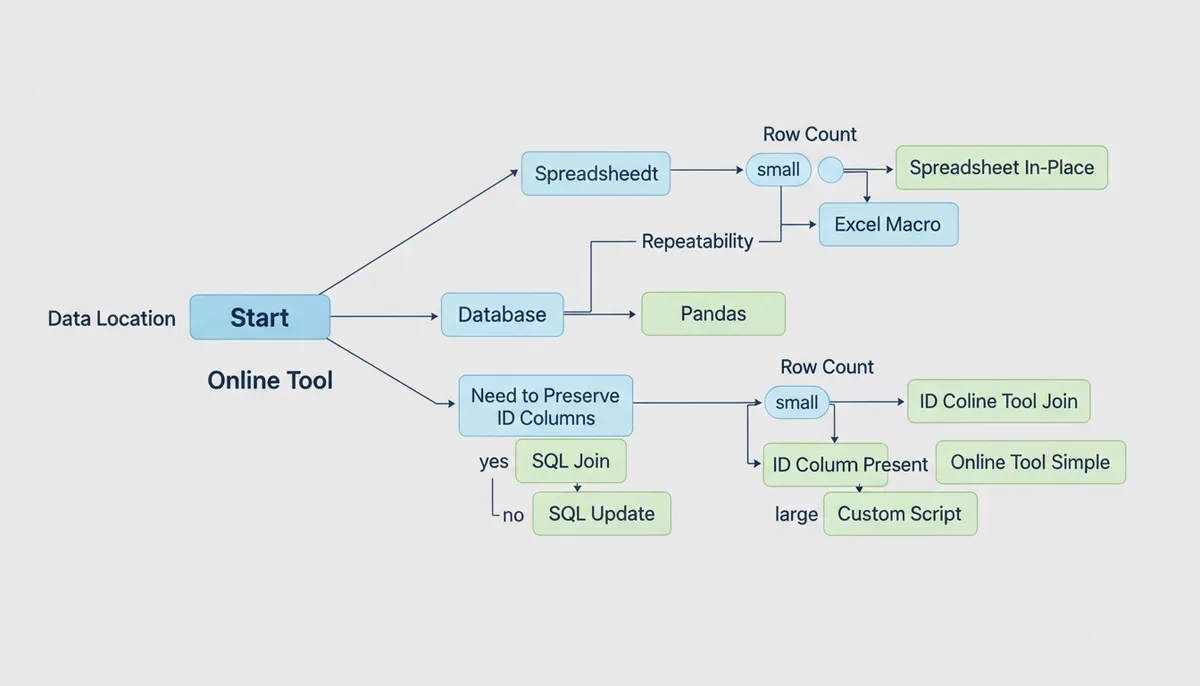
How to Choose the Right Batch Conversion Method
Use this decision tree:
How to Handle Mixed Timestamp Formats in a Single Column
Real-world data rarely arrives in a single, consistent format. You might have a column that contains Unix timestamps in seconds, milliseconds, and even ISO 8601 strings. The key is to detect and handle each format separately before conversion.
In Python with Pandas, you can use conditional logic to identify and convert each format:
def convert_mixed_timestamps(ts):
    if isinstance(ts, str):
        # Handle ISO 8601 strings
        return pd.to_datetime(ts)
    elif isinstance(ts, (int, float)):
        # Handle numeric timestamps
        if ts > 1e12:  # Likely milliseconds
            return pd.to_datetime(ts, unit='ms')
        else:  # Likely seconds
            return pd.to_datetime(ts, unit='s')
    else:
        return pd.NaT  # Return Not-a-Time for invalid values

df['converted_date'] = df['mixed_column'].apply(convert_mixed_timestamps)
For spreadsheets, use nested IF statements:
=IF(ISNUMBER(A2),
    IF(A2 > 1E+12,
        DATE(1970,1,1) + (A2 / (86400 * 1000)),
        DATE(1970,1,1) + (A2 / 86400)
    ),
    IF(ISERROR(DATEVALUE(A2)), "Invalid", DATEVALUE(A2))
)
Common pitfalls include:
- Assuming all timestamps are in the same unit (seconds vs milliseconds)
- Overlooking string-formatted dates that need parsing
- Failing to handle empty cells or non-date values
The most robust approach is to first create a new column that identifies the format of each timestamp, then apply the appropriate conversion. This gives you visibility into what the data actually contains.
When to Use UnixConverter.com vs. In-House Solutions
UnixConverter.com is great for quick, one-off conversions of small datasets. Its advantages include:
- No setup required
- Handles all common timestamp formats
- Provides time zone conversion
However, it has significant limitations:
- No way to preserve row context
- Limited to web browser capacity (typically 10,000-50,000 rows)
- No programmatic access
- Privacy concerns with cloud processing
For production use, consider this decision framework:
| Factor | Use UnixConverter.com | Build In-House Solution |
|---|---|---|
| One-off vs repeatable | One-off conversions | Regular or automated conversions |
| Row count | Under 10,000 rows | 10,000+ rows |
| Privacy | Public data | Sensitive data |
| Automation | Manual processing | Automated pipelines |
| Row context | Not needed | Must preserve original row IDs |
Build an in-house solution when any of these conditions apply:
- You need to process more than 10,000 timestamps
- You need to maintain row context
- You need to automate the conversion
- You're working with sensitive data
For most teams, the break-even point for building an in-house solution is typically when you need to convert more than 50,000 timestamps monthly.
How to Convert Timestamps in Real-Time Data Pipelines
For streaming data or continuous processing, you need solutions that can handle timestamps as they arrive. Here's how to implement this in different systems:
Apache Kafka with ksqlDB
CREATE STREAM converted_timestamps AS
SELECT id, TIMESTAMPTOSTRING(FROM_UNIXTIME(timestamp_column), 'yyyy-MM-dd HH:mm:ss') AS converted_date
FROM input_stream;
AWS Lambda (Python)
def lambda_handler(event, context):
    timestamp = event['timestamp']
    converted = datetime.fromtimestamp(timestamp/1000).isoformat()
    return {'converted_date': converted}
Key considerations:
- Latency requirements (can you afford 100ms per conversion?)
- Error handling for malformed timestamps
- Time zone consistency across services
- Monitoring for conversion failures
The most common mistake is assuming the pipeline will handle timestamps the same way as batch processing. In reality, you often need different error handling and performance tuning for real-time systems.
How to Convert Timestamps in NoSQL Databases
NoSQL databases like MongoDB and DynamoDB store timestamps differently than relational databases. Here's how to handle them:
MongoDB
db.collection.updateMany(
  {},
  [
    { $set: {
      converted_date: {
        $dateFromString: {
          dateString: "$timestamp_string",
          format: "%Y-%m-%dT%H:%M:%SZ"
        }
      }
    }}
  ]
)
DynamoDB
# Using AWS Lambda to process records
def convert_timestamp(record):
    timestamp = record['timestamp']
    if isinstance(timestamp, str):
        return datetime.strptime(timestamp, '%Y-%m-%dT%H:%M:%SZ')
    elif isinstance(timestamp, int):
        return datetime.fromtimestamp(timestamp/1000)
Key challenges include:
- Schema flexibility requiring format detection
- Limited query capabilities for date ranges
- Different timestamp formats across collections
The most important rule is to document the timestamp formats in each collection. Without this, you'll spend hours debugging why some dates appear as 1970-01-01.
How to Convert Timestamps in Embedded Systems
When working with microcontrollers or IoT devices, you often need to convert timestamps in resource-constrained environments. Here are practical approaches:
Arduino Example
#include

void setup() {
  Serial.begin(9600);
  setTime(1672531200); // Unix timestamp for Jan 1, 2023
}

void loop() {
  time_t timestamp = now();
  Serial.print("Unix: ");
  Serial.print(timestamp);
  Serial.print(" | Date: ");
  Serial.print(year());
  Serial.print("-");
  Serial.print(month());
  Serial.print("-");
  Serial.println(day());
  delay(1000);
}
ESP32 with NTP
#include
#include

void setup() {
  configTime(0, 0, "pool.ntp.org");
  struct tm timeinfo;
  if (getLocalTime(&timeinfo)) {
    time_t now = mktime(&timeinfo);
    Serial.print("Unix: ");
    Serial.println(now);
  }
}
Common constraints to consider:
- Limited memory for large timestamp arrays
- No floating-point math support
- Battery-powered devices with sleep cycles
The most important optimization is to only convert timestamps when needed, not storing both the raw and converted values. For battery-powered devices, you might convert once per wake cycle rather than continuously.
How to Convert Timestamps in Legacy Systems
Older systems often use non-standard timestamp formats that require special handling. Here are approaches for common legacy formats:
COBOL Timestamp (Packed Decimal)
IDENTIFICATION DIVISION.
PROGRAM-ID. COBOL-TIMESTAMP.
DATA DIVISION.
WORKING-STORAGE SECTION.
01  PACKED-TIMESTAMP   PIC S9(15) COMP-3 VALUE 123456789012345.
01  UNPACKED-TIMESTAMP PIC S9(15).
01  YEAR               PIC 9(4).
01  MONTH              PIC 9(2).
01  DAY                PIC 9(2).
01  HOUR               PIC 9(2).
01  MINUTE             PIC 9(2).
01  SECOND             PIC 9(2).

PROCEDURE DIVISION.
    MOVE PACKED-TIMESTAMP TO UNPACKED-TIMESTAMP.
    UNSTRING UNPACKED-TIMESTAMP
        DELIMITED BY SIZE
        INTO YEAR, MONTH, DAY, HOUR, MINUTE, SECOND.
    DISPLAY "Date: " YEAR "-" MONTH "-" DAY.
    DISPLAY "Time: " HOUR ":" MINUTE ":" SECOND.
    STOP RUN.
VBScript Date Handling
' Convert Excel timestamp to readable date
Function ConvertExcelDate(excelDate)
    Dim baseDate
    baseDate = DateSerial(1899, 12, 30) ' Excel epoch
    ConvertExcelDate = DateAdd("d", excelDate, baseDate)
End Function

' Usage
WScript.Echo ConvertExcelDate(44567)
Key challenges with legacy systems include:
- Documentation gaps about timestamp formats
- Incompatible date libraries
- Different epoch dates (Excel uses 1900-01-01)
The most important practice is to create a conversion utility that handles all known legacy formats in one place, rather than scattering conversion code throughout the application.
FAQ
Can I use an online batch converter tool instead of these methods?
Yes, but only if you first add a unique ID column to your data. Upload the ID and timestamp columns, then use the ID to join the results back to your original dataset. In-place methods like formulas or scripts are generally safer and faster for large files.
My converted timestamps are consistently off by several hours. What's the cause?
This is almost always a time zone issue. Your conversion tool is likely assuming the timestamps are in UTC, but they were recorded in a local time zone (or vice-versa). You must explicitly define the source and destination time zones in your script or formula.
How do I handle leap seconds in a batch conversion?
You generally don't. Unix time and most computer systems ignore leap seconds, so a direct conversion will be internally consistent. For most analytics and business purposes, the small discrepancy with official UTC is not an issue.
What's the fastest method for converting millions of timestamps?
For data in files like CSV or Parquet, a Python script using Pandas is extremely fast. If the data is already in a database, a direct SQL UPDATE or SELECT is the most efficient method as no data needs to be moved.
What if my timestamp column isn't Unix epoch, but a string like '2023-10-26T10:00:00Z'?
The principles of maintaining row context are identical. However, you will use parsing functions instead of numeric conversion. In Pandas, pd.to_datetime() handles this automatically; in SQL and spreadsheets, you'll use functions designed to parse date strings.
My timestamp column has a mix of numbers and empty cells. How do I prevent errors?
Use a formula or code that handles errors. In Excel, wrap your conversion in IFERROR(..., ""). In Python, use a try-except block within a function applied to the column. This prevents a few bad rows from stopping the entire batch process.
Sources
- pandas project — The documentation for the `pandas.to_datetime` function, including its `unit` and `tz` parameters, which is central to the Python/Pandas method.
- PostgreSQL Documentation — The official documentation for PostgreSQL's date/time functions, including `to_timestamp()`, backing the claims made in the SQL method section.
- MySQL Documentation — The official documentation for MySQL's date/time functions, specifically `FROM_UNIXTIME()`, backing the claims made in the SQL method section.
- IETF (Internet Engineering Task Force) — The official standard for the ISO 8601 profile used widely on the internet, relevant for discussions of target date formats.
- IANA (Internet Assigned Numbers Authority) — The definitive source for the Time Zone Database (tz database), which is the standard used by most programming languages and operating systems for handling time zones.